

Exa App Card
Pay Visa merchants with crypto or borrow against your holdings for fixed-rate installments using Exa App Card.

Exa App Card: virtual crypto card fees and USDC on Optimism
What is Exa App Card?
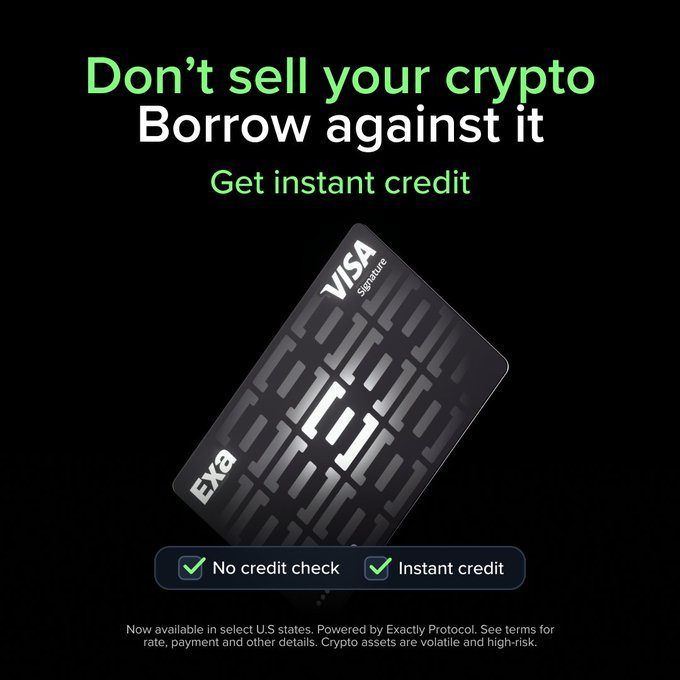
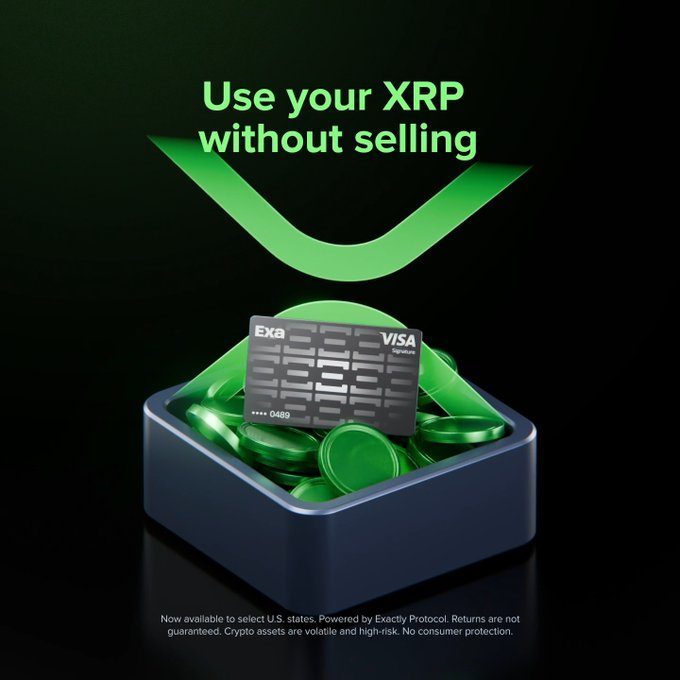
Exa App Card is a virtual Visa crypto debit card with self-custody, Pay Now spending, USDC installments, Apple Pay and Google Pay, but no standard cashback.
Ready to try Exa App Card?
Open the official site and get started in a few clicks.
Exa App Card Overview
The Exa App Card is a virtual Visa Signature crypto card for holders who want to spend from their balance or borrow against crypto without selling it. You keep custody of your assets in a self custodial account. You need to complete KYC, but you do not need a traditional credit score or a local bank account.
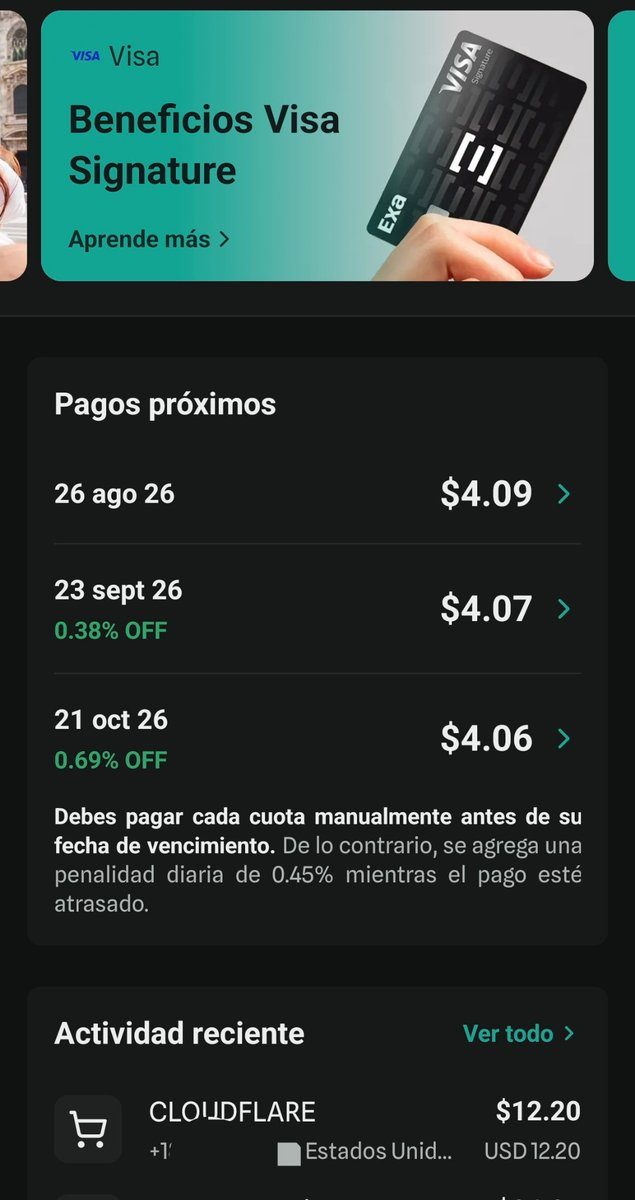
Fund the app with supported crypto, such as USDC or ETH, and check the available networks before you transfer. Use Pay Now to pay from your balance, or choose installments to borrow USDC against your crypto at a rate fixed when you buy. You repay every 28 days. Check the installment count in the app before you spend. You can pay online or add the card to Apple Pay or Google Pay.
Exa publishes no issuance, monthly or annual fee. Non-USD purchases carry a 1.5% FX charge, and some terms mention an extra cross-border charge of up to 1.5%. Borrowing costs depend on market rates; Exa may include an origination fee in installment interest. There is no standard cashback program.
The main draw is keeping crypto deposited for variable yield while borrowing to cover purchases. Long-term holders may find that useful, though a fall in collateral value can lead to liquidation. For USD spending without borrowing, the lack of recurring card fees is appealing. Cashback seekers should look elsewhere. This is a virtual-only card, so check country eligibility in the app before you fund it.
Exa App Card Key features
-
Virtual Visa Signature
You get a virtual Visa Signature card after identity checks and account funding, with no issuance fee. Exa charges no monthly or annual card fee.
-
Self custodial wallet
You control your crypto in a smart wallet and use a device passkey for daily access. When you borrow against crypto, you commit that collateral until you repay.
-
Pay Now mode
You can pay directly from your stored assets and choose which asset to spend first in the app. You stop earning yield on assets once you spend them.
-
Fixed rate installments
You can borrow USDC against your crypto at a rate fixed at purchase time, with repayments every 28 days. Official docs list up to nine installments, but check the live app for your installment count and interest cost, which may include an origination fee.
-
Variable deposit yield
You can earn variable yield through Exactly Protocol markets on supported deposits, including USDC and ETH. Check the current APR in the Portfolio screen before you deposit.
-
No credit score
You do not need a traditional credit score or a local bank account, but you must complete identity checks. Your borrowing limit depends on collateral and protocol risk rules, and you risk liquidation if your collateral value falls.
-
Mobile wallet payments
You can add the virtual card to Apple Wallet or Google Wallet for tap to pay, or use its details online at Visa merchants. Check current country eligibility before you apply; spending restrictions include sanctioned destinations.
-
Sponsored network fees
Exa sponsors gas for many in-app actions, so you pay no network fee for those flows. This does not cover every blockchain transaction.
-
In-app payment controls
You receive purchase alerts and can view your card details in the app. Set Pay Mode before a purchase, since your choice applies to later purchases until you change it.
-
Non-USD purchase fees
You pay a 1.5% FX fee within the exchange rate on non-USD purchases. Some terms also list a possible cross-border charge of up to 1.5%, so check the terms for your country.
-
No standard cashback
You earn no standard cashback on card purchases. Exa lists Visa Signature perks, including airport lounge access and car rental insurance, rather than a separate Exa rewards program.
Download Exa App Card App For Android And iOS
Download Exa App Card and start spending crypto from your phone — available on Android and iOS.
Exa App Card Fees
-
Card fees Card issuance is free, with $0 annual and monthly fees.
-
Sponsored gas User-paid gas is $0 on sponsored flows, according to the company and several reviews.
-
FX fee Non-USD purchases have a 1.5 percent FX fee built into the exchange rate, and terms may allow an additional cross-border charge of up to 1.5 percent.
-
Installment costs Loan interest is fixed at purchase time and market dependent, while an origination fee may apply and is included in installment interest.
-
ATM withdrawals Where ATM withdrawals are available, Paymentscan lists a fee of $1 plus 0.65 percent.
Exa App Card Supported networks
 Optimism
 Base
Base
How to use Exa App Card
-
Create your account
Download the Exa App or open the web version at exactly.app, then create an account with a device passkey.
-
Verify your identity
Open the Card flow and complete KYC when the app asks for it. Visa issuing rules require the identity check before card access.
-
Fund your account
Send a supported token on a supported network, or use a fiat deposit account if the app offers one in your region. Wait until the funds appear in Portfolio and check the live balance and APR.
-
Enable the virtual card
Open Card and request the virtual Visa card after funding the account. Add it to Apple Wallet or Google Wallet, or copy the card details for an online payment.
-
Choose payment mode
Open Pay Mode and choose Pay Now or an installment count, then simulate the purchase if the app shows that option. Make your first payment after you confirm the selected mode.
Exa App Card Demo video
Exa App Card Screenshots
Exa App Card User Reviews
-
get a rail 16-25 railcard it's worth it if you travel a lot on trains
View on X ↗ -
I get the 16-25 railcard n it cost me 70 pounds for 3 years and every time I go home it saves me 20 quid so I've had my money worth and more
View on X ↗ -
And get a rail card, I've saved the cost of the card in three train journeys. Now its just all savings
View on X ↗
Exa App Card Review
Pros
- You pay no issuance fee or annual fee for the virtual card.
- You keep custody of deposited crypto in a smart wallet you control.
- You can borrow USDC against your crypto to pay for purchases without selling it upfront.
- You lock in the interest rate at purchase time when you choose installments.
- You do not need a traditional credit score or a local bank account.
- You can add the virtual card to Apple Wallet or Google Wallet for tap to pay.
- You can earn variable yield on deposited crypto through Exactly Protocol.
Cons
- You earn no standard cashback on purchases.
- You pay 1.5% FX on non-USD purchases, with a possible extra cross-border charge of up to 1.5%.
- You cannot order a physical card.
- You must complete identity checks before you can use the card.
- You risk liquidation if your collateral loses value while you have a Pay Later loan.
- You pay interest on installments, and Exa may include an origination fee in that interest.
- The licensed issuer can freeze your card even though you control the wallet.
Our verdict
Exa App Card is worth carrying for long-term crypto holders who need Visa spending. It keeps custody with you, but collateral faces DeFi liquidation risk. There are $0 issuance, annual, and monthly fees, but non-USD purchases cost about 1.5% FX. Pay Later adds market-based interest, with estimates around 6% to 10% APR. It is poor for cashback seekers, and I would change my mind with lower spreads or reliable rewards.
Exa App funding
-
Founded by Gabriel Gruber founded the company; he is an economist from the University of Buenos Aires and previously founded Properati.
-
Seed - Aug 2021 Exactly raised about $3M in a seed round led by Kaszek, with 6th Man Ventures, NXTP, Newtopia, and angels including Marcos Galperin.
-
Follow-on - Jan 2023 Exactly raised about $2M in a follow-on round with participation from Kain Warwick, Daedalus, Esteban Ordano, Bodhi, NXTP, and Kaszek; the lead investor was not published.
-
Funding - Jul 27, 2026 Exa App Ltd raised $2.2M led by Kaszek, with Coinbase Ventures Base Ecosystem Fund, Ripio Ventures, Lucero Ventures, and angels.
Is Exa App Card safe & legit?
Exa App Card appears legitimate, built by Exa Labs/Exa App Ltd and led by founder Gabriel Gruber, with backers including Kaszek, Coinbase Ventures, Ripio Ventures, NXTP, and 6th Man Ventures; licensed partners issue the Visa card, though pages name Third National or Rain inconsistently. Your crypto stays in a self-custody smart wallet, but the issuer can freeze the card and Pay Later loans carry liquidation and smart-contract risk. Known red flags include unclear issuer details, limited consumer protection, and a 1.5% FX charge; no evidence of an outright scam is named in the supplied data.
X account intel @Exa_App
-
Based in Argentina
-
Joined X November 2023 2 years ago
-
Username changes 1 rename last on Nov 28, 2023
-
Signup source Web
Public profile signals from X. Use as one input alongside other due-diligence.
Exa App Card Updates
-
- 2 likes
- 290 views
-
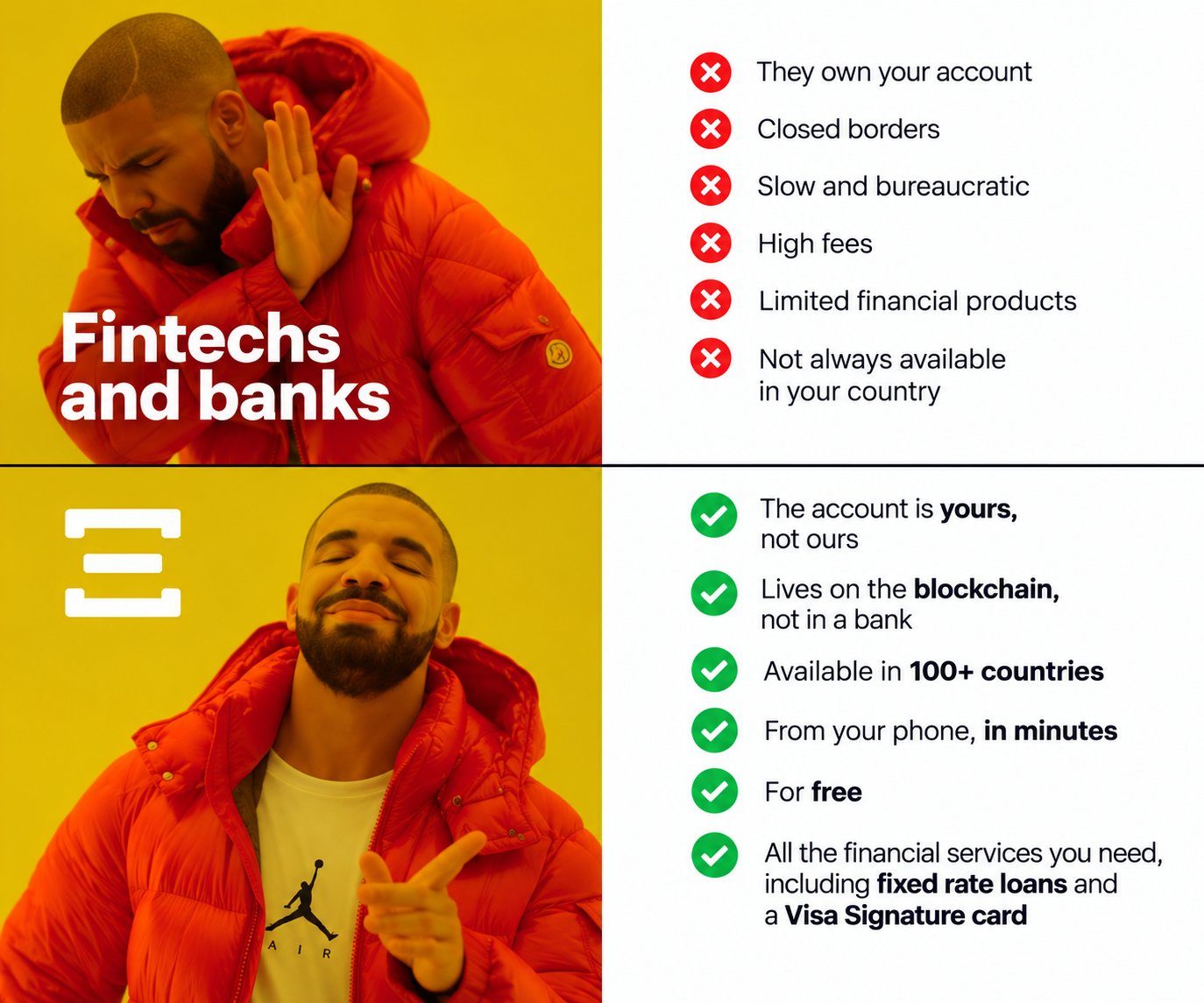
How is Exa different from ___? The Exa account is yours, not ours. It lives on the blockchain, not in a bank. Available in over 100 countries, from your phone, in minutes, and for free.
- 2 likes
- 290 views
-
Euros can now be received into an account in your name! Receive SEPA transfers from any European bank straight to your Exa account, hold them as USDC, and spend anywhere with your Exa Card.
- 8 likes
- 1.6K views
-
Muy buen feature de @Exa_App para salir de USDT a fiat (USD).
Llegó en el día, impecable ✅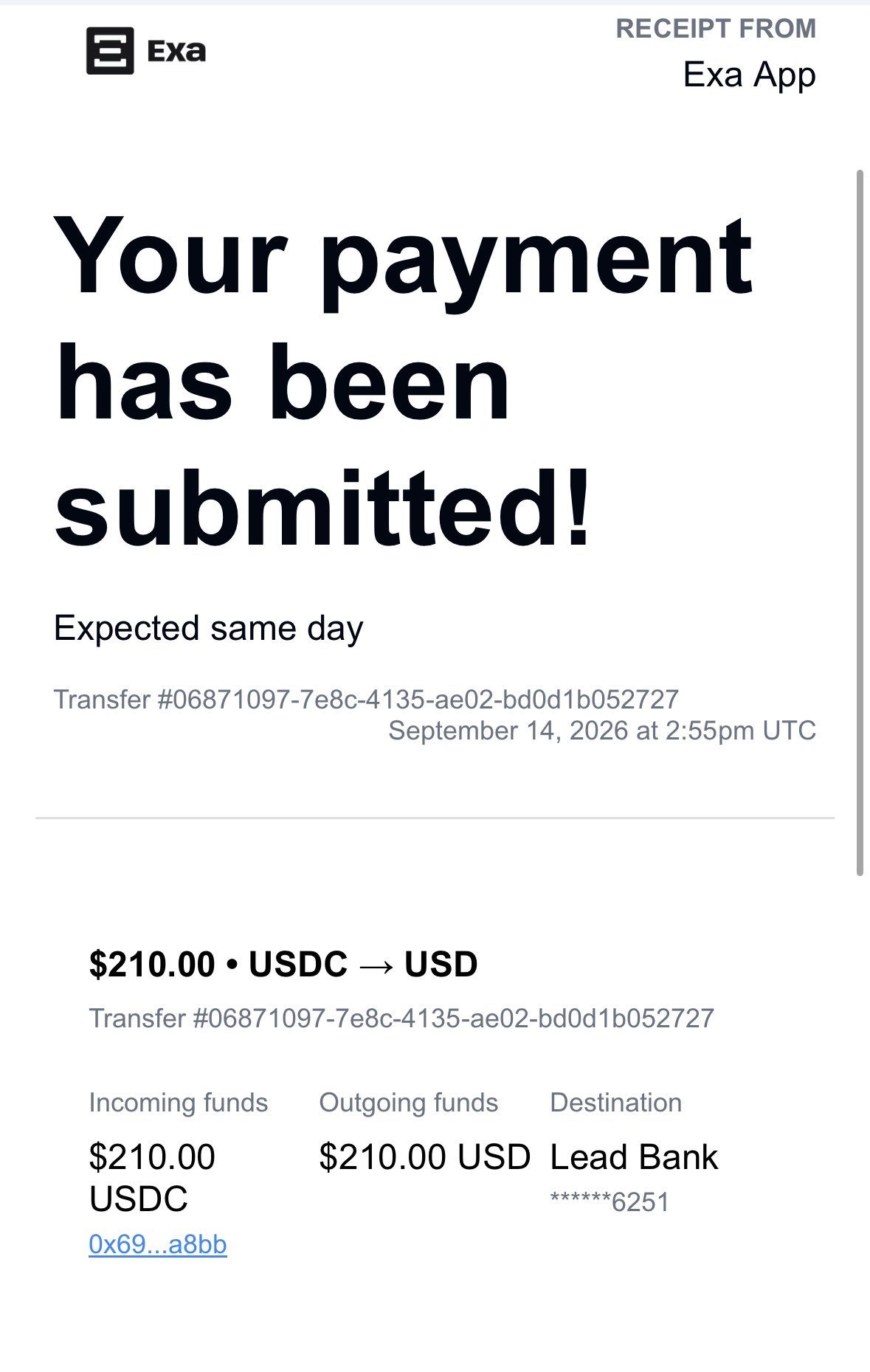
- 3 replies
- 1 reposts
- 17 likes
- 6.8K views
-
The first $10M in self-custodial balance for the Exa App users! 🚀
Over the last 3 months:
🟦 XRP (Base): ~+$4.3M
🟦 USDC (Base): ~+$1.0M
🟦 WETH (Base): ~+$0.8M
🟥 USDC (OP Mainnet): ~+$0.7M
🟥 WETH (OP Mainnet): ~+$0.6M- 6 likes
- 2.5K views
-
We're hiring a Sr Backend Developer at Exa App 🚀
Self custodial wallet, the first onchain credit card, fixed rate loans, tokenized equity and more:
💳 16k cards issued
🏦 $10M+ in deposits
📈 $2M monthly purchases
⚡ 1 tx every 2 min
Apply here: https://forms.gle/LFKwUnq99Lxjra847- 5 reposts
- 34 likes
- 12.8K views
-
Você usa o Exa App no Brasil 🇧🇷 e gostaria de nos ajudar a testar novas formas de depositar e sacar dinheiro no app? 🚀
Queremos testar novos recursos com você em primeira mão!
Se tiver interesse, nos envie uma DM para participar! 👇1 more in this thread
More tokenized stocks just dropped:
Amazon, Microsoft, Strategy, SanDisk, SpaceX, and Tesla.- 2 likes
- 1.8K views
-
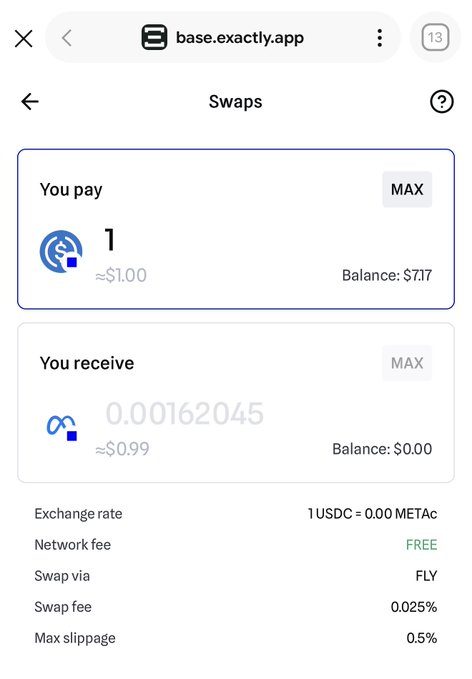
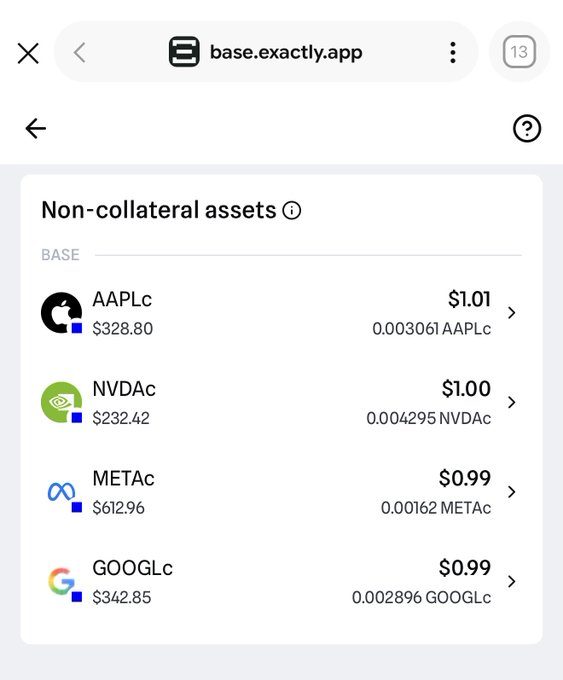
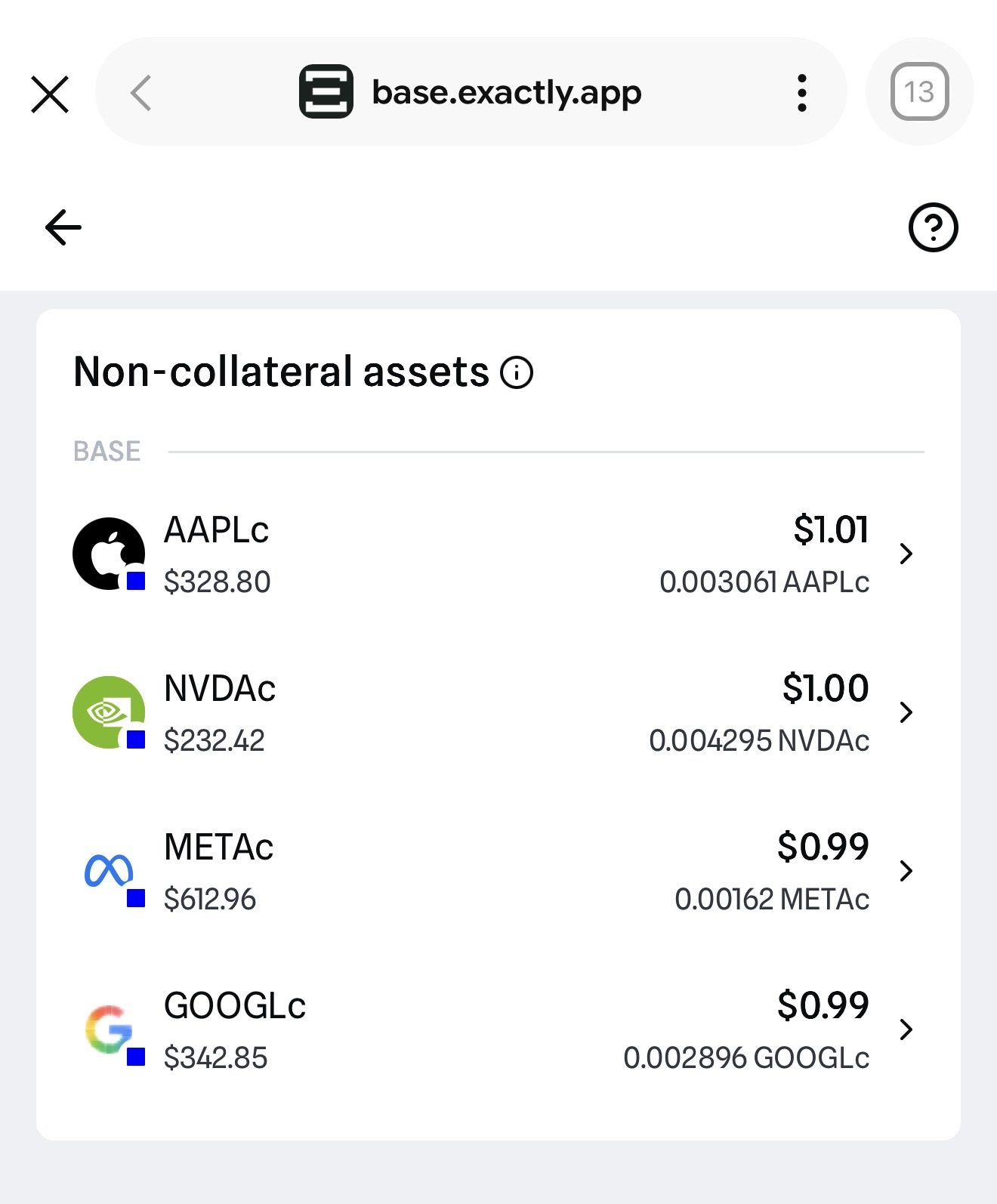
Tokenized stocks are now live on the Exa App inside the @baseapp (https://base.exactly.app). Just click Swaps and select the token you want: NVIDIA, Apple, Google, and Meta (more stocks coming soon).
1 more in this thread
More info here: https://www.base.org/stocks- 2 replies
- 2 reposts
- 8 likes
- 3.6K views
-
If you have EXA tokens, you can now bridge them to @base
- 4 replies
- 5 likes
- 1.1K views
-
Texas 🤠
- 1 replies
- 1 reposts
- 5 likes
- 675 views
-
Depositing your assets just got easier. 🚀
Exa lets you deposit from Ethereum, Base, Arbitrum, Polygon, BSC, and bridge directly to OP Mainnet.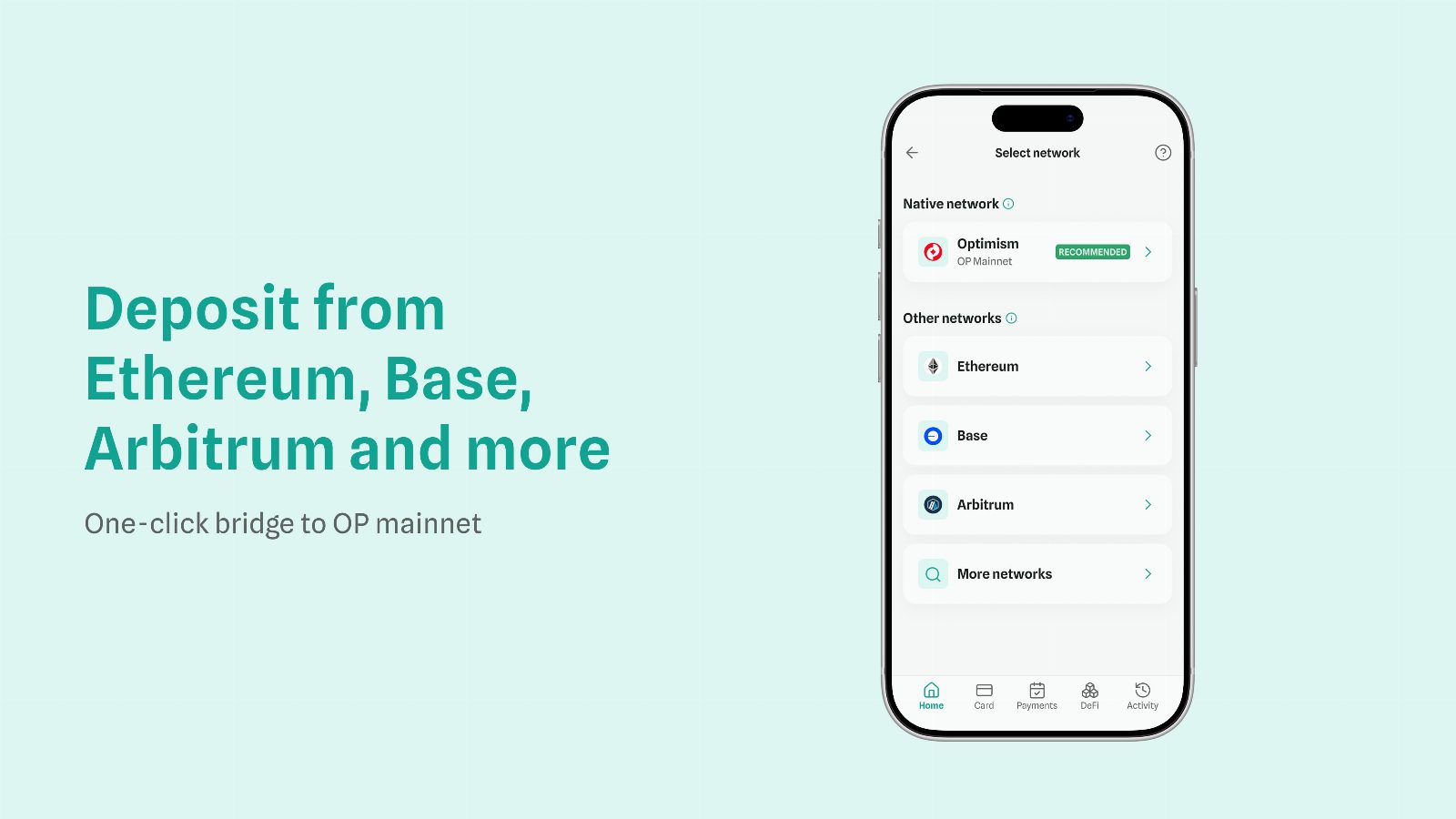
2 more in this thread
The process has easy steps:
1️⃣ Send the crypto asset from any EVM network to your Exa App wallet address
2️⃣ Go to your Portfolio section, select the asset, and bridge it to OP Mainnethttps://help.exactly.app/en/articles/15230124-how-to-receive-funds-from-other-evm-networks- 3 replies
- 14 likes
- 2.4K views
-
Buena recomendación :)
- 2 replies
- 1 reposts
- 8 likes
- 1.4K views
-
🤝
- 1 replies
- 1 reposts
- 4 likes
- 1.6K views
-
im still using @Exa_App and it’s been amazing
crypto credit card is the best if you asked me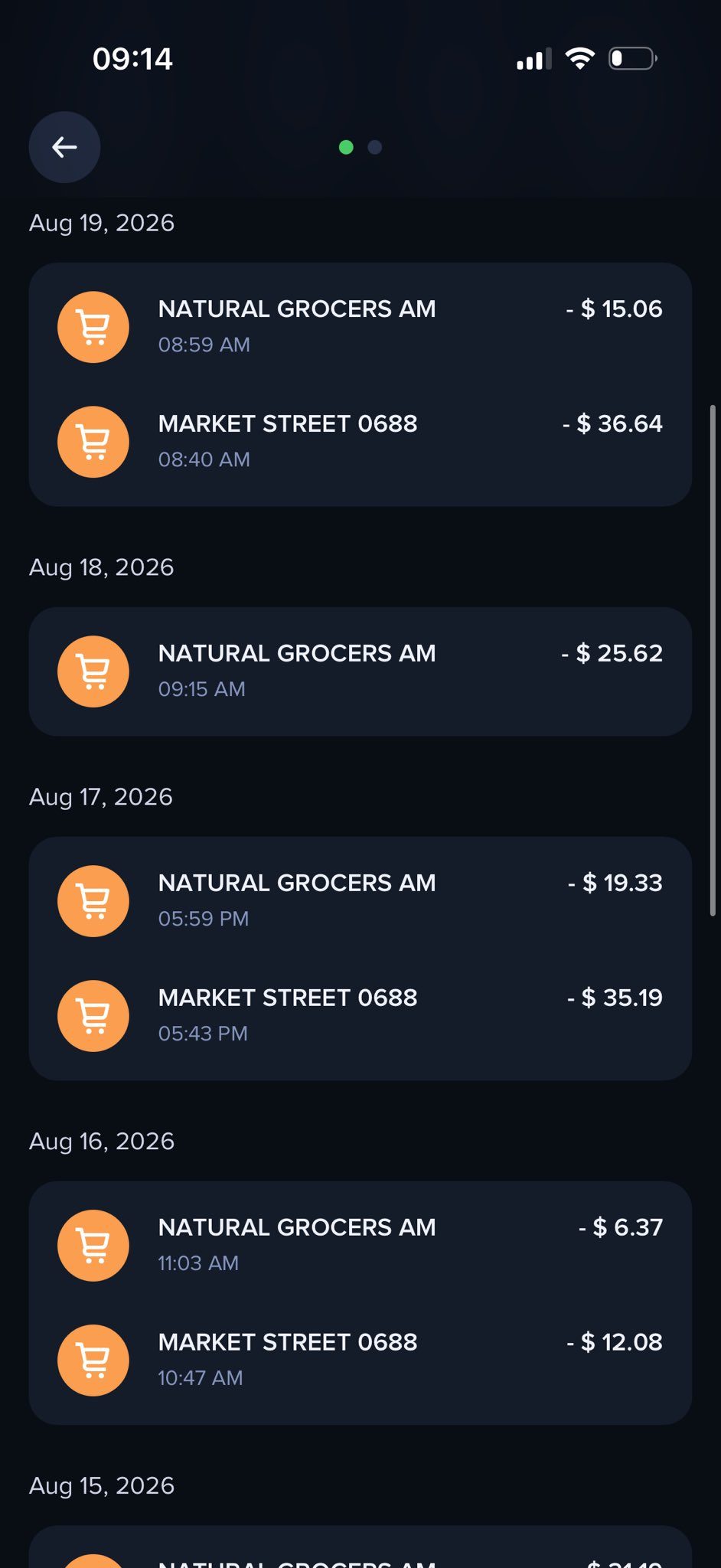
- 1 replies
- 1 reposts
- 3 likes
- 445 views
Exa App Card Reviews & Comments
No reviews yet. Be the first to share your experience.
Exa App Card alternatives
Other Polymarket tools that do a similar job. Compare and pick what fits your workflow.
-
Compare
Offgrid Cash card
Crypto holders load Bitcoin, Monero, or stablecoins onto a virtual Visa and spend it with…
-
Compare
Jupiter Solana Card
Deposit USDC or USDT once, then spend that balance anywhere Visa is accepted, with no FX…
-
Compare
Kast card
Holding stablecoins won't buy groceries until Kast card turns that USDC or USDT balance i…
-
Compare
Privacy Card
Spend crypto as USD with Privacy Card, a virtual Visa you can fund without an ID upload.




Recommended reading
In-depth guides for Crypto Cards — get more out of tools like Exa App Card.
-
Crypto Referral & Invite Codes
Tuyo Card Referral Code And Invite Code: "BOOST"
Tuyo Card Referral Code is "Boost". What it gives you, how the $10 voucher works, and what the self custodial Visa charges on eve…
6 min read -
Crypto Referral & Invite Codes
Kast Card Codes: Referral Code, Coupon Code And Unlock
Which Kast code goes where? Referral and invite codes at signup, coupon codes at checkout, plus cashback rates, fees and the rewa…
4 min read


Ready to try Exa App Card?
Open the official site and get started in a few clicks.
Leave a comment