

Ask Gina
One sentence you type turns into a live trade, swap, or automation, all from a wallet Ask Gina generates for you.
Ask Gina: AI Crypto Wallet for Polymarket and Hyperliquid
What is Ask Gina?
Ask Gina is an AI trading agent that lets you research, trade, and automate Polymarket bets and Hyperliquid perps from one wallet using plain English commands.
Ready to try Ask Gina?
Open the official site and get started in a few clicks.
Ask Gina Overview
Ask Gina is an AI agent that comes with its own crypto wallet. Instead of clicking through separate apps for research, trading, and automation, you type what you want in plain English and Gina does the work. It can check prices, scan Polymarket for live event markets, open or close positions on Hyperliquid perps, swap tokens, send funds, and turn a strategy you describe into a workflow that keeps running on its own.
The tool is built for people who are tired of juggling bridges, gas tokens, and separate dashboards for spot trading, prediction markets, and perps. If you already trade across chains and want fewer clicks, or you want to set a rule once (like "buy this dip" or "close this position if price hits X") and walk away, this is the kind of job Gina is made for. Long term holders who want scheduled buys and reports without writing scripts fit here too, as do prediction market bettors who want to search odds and place sized bets by typing a sentence instead of scrolling a market list.
Under the hood, each user gets a private Gina instance paired with a generated wallet, one for Solana and one EVM compatible wallet. You chat with Gina the way you would message a person: ask for trending markets, request a token chart, or describe a full automation like rotating funds into a trending asset at daily close. Gina plans the steps, shows you what it intends to do, and executes once you confirm. Automations get compiled into code that runs on a schedule or a trigger, so a strategy you write once can keep firing without you opening the app again.
What sets Gina apart from a typical trading bot or chatbot wrapper is the range packed into one wallet. You get market research, trade execution, and automation in the same place, spanning more than a dozen blockchains, all of Polymarket, and Hyperliquid's perp markets. Builders can also plug Gina into coding tools like Claude Code, Cursor, or Codex through MCP, so the agent's wallet and market tools become available inside software they already use daily. Add in gas abstraction (Gina picks a gas token from your existing balances instead of forcing you to hold native tokens on every chain) and credit based pricing for AI usage, and the pitch is less "chat with an AI" and more "hand a sentence to software and let it run the trade."
Ask Gina Key features
-
Natural language wallet
You type what you want and Gina plans the swaps, transfers, or orders behind it. A dedicated wallet view tracks balances, predictions, perps, and P&L alongside the chat.
-
Market search and pricing
Gina searches Polymarket by topic, date, or expiry and answers questions like NBA markets tomorrow or Fed odds. It also pulls token prices and builds charts right in the conversation.
-
One wallet across venues
A single Gina wallet is meant to reach 12 plus blockchains, all of Polymarket, and Hyperliquid perps. Later releases add equity, index, and commodity markets through the same wallet.
-
Swaps, sends, and routing
Gina moves ERC20 and SPL tokens and swaps on supported chains, including cross chain recipes that bridge and swap in one instruction. Gas handling is centralized, so you skip juggling native gas tokens on every network.
-
Automations and recipes
Describe a strategy and Gina writes the code, then runs it on a schedule or trigger. The /create flow covers things like cross chain accumulation, trend rotation, morning briefs, and reactive sells.
-
Agent filesystem
Each Gina instance keeps its own storage for journals, orderbook snapshots, and generated workflow code. That gives the agent memory that carries over between chats instead of resetting each time.
-
Copy trading and mirror wallets
You can follow another wallet's trades instead of writing every rule yourself. Copy trade and mirror wallet actions sit right on the home screen.
-
Prediction market trading
Gina finds Polymarket outcomes, filters by odds and liquidity, and places buy or limit style orders from chat. It also reports open positions and P&L when asked.
-
Perps trading
You can long or short on Hyperliquid, set collateral, and attach stop losses or take profits from a chat message. Closing a position works the same way, no dashboard clicks needed.
-
MCP and external AI apps
Gina connects to Codex, Claude Code, Cursor, and OpenClaw through published MCP skills for Polymarket and Hyperliquid. This matters if you already work inside a coding agent and want it to hold a wallet.
-
Portfolio and reporting
The wallet UI splits spot, predictions, and perps into separate views with P&L for each. It also lists running automations, like weekly reports or news bundles, so you can see what is active.
-
Credits for inference
Gina Credits pay for model usage with onchain tokens instead of a card. The backend routes each prompt to a current model, so you are not picking a vendor every time.
Ask Gina Fees
-
Network and venue fees Swaps, bridges, Polymarket trades, and Hyperliquid trades still pay whatever fees those chains and venues normally charge.
-
Sponsored gas Gina sponsors gas on smaller transactions, and for gas around $5 or more it picks the cheapest gas token from up to five of your largest balances.
-
Free AI credits Every user gets 3,000,000 free credits per month, Genesis NFT holders get 10,000,000, and unused credits expire at month end.
-
Paid credit packs Credits can be bought in packs from $10 for 5,000,000 credits up to $60 for 30,000,000 credits.
-
Credits cover AI only Credits pay for model use, market data calls, charts, and agent work, not a discount on Hyperliquid or Polymarket trading fees.
How to use Ask Gina
-
Create your account
Go to askgina.ai and sign up. This gives you access to your own private Gina instance.
-
Get your Gina wallet
Let the app generate your wallets, one Solana and one EVM compatible. You cannot connect a wallet you already own, so this is your starting point.
-
Fund the wallet
Send in only the amount you are comfortable putting under an AI agent's control. Start small until you see how Gina behaves.
-
Send a simple prompt
Open Chats and ask for something low stakes, like a price check, a portfolio summary, or trending Polymarket markets.
-
Review before you confirm
Check that the asset, chain, size, and venue in the planned action match what you actually meant. Confirm only when it lines up.
-
Set up an automation
Go to Automations or /create and write your strategy in one sentence. Include the size, venue, schedule or trigger, and a clear kill condition.
-
Check the run history
After a trade or automation runs, open Trade History and the automation log to see exactly what Gina did.
-
Connect Gina to your coding tools
If you work in Claude Code, Codex, Cursor, or OpenClaw, add Gina through MCP and authenticate. Keep your first calls read only while you learn how it responds.
-
Increase size gradually
Once you have watched several correct runs in the history, raise the size of trades or automations. Do not skip this step just because the first few went fine.
Ask Gina Screenshots
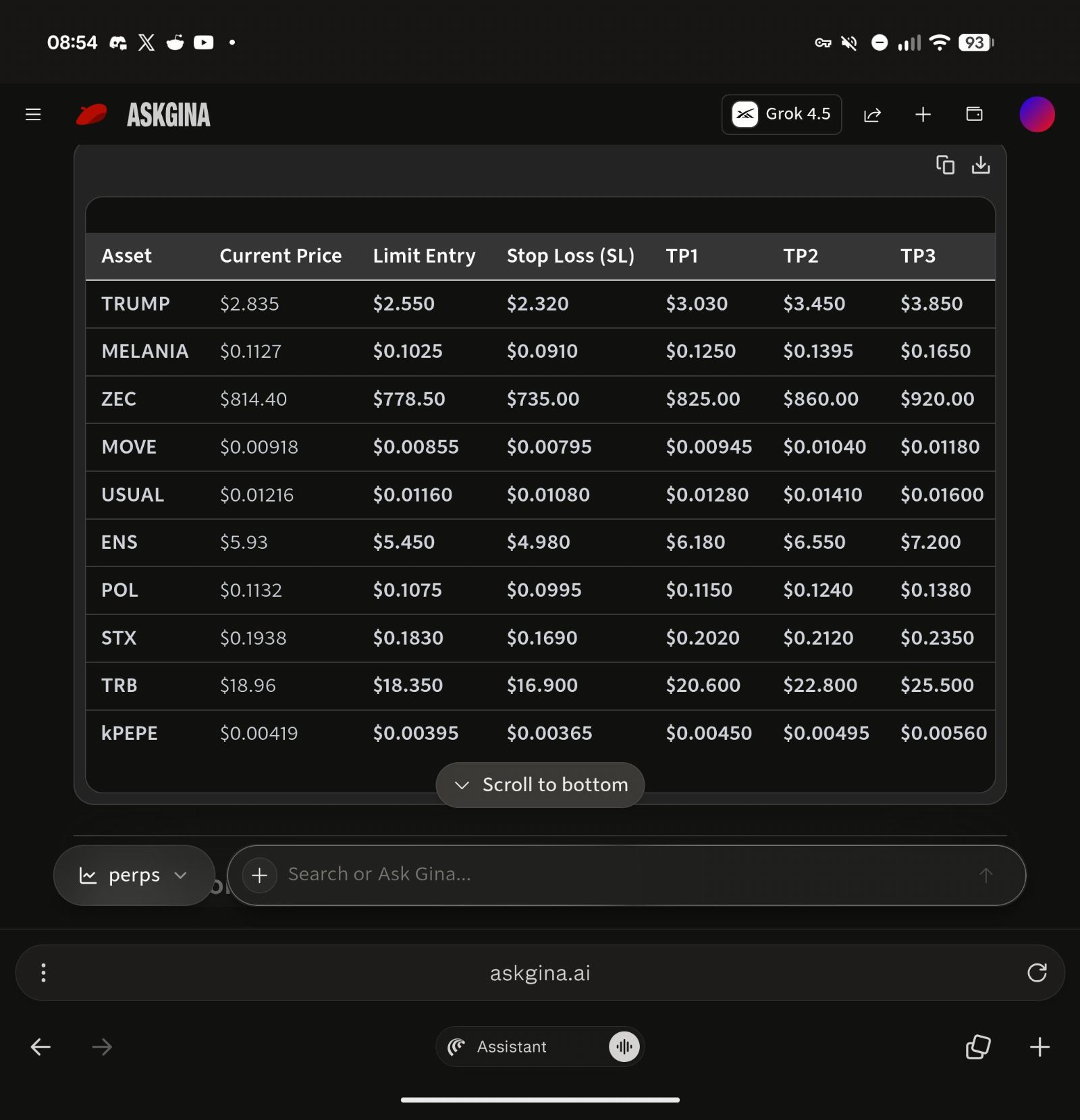
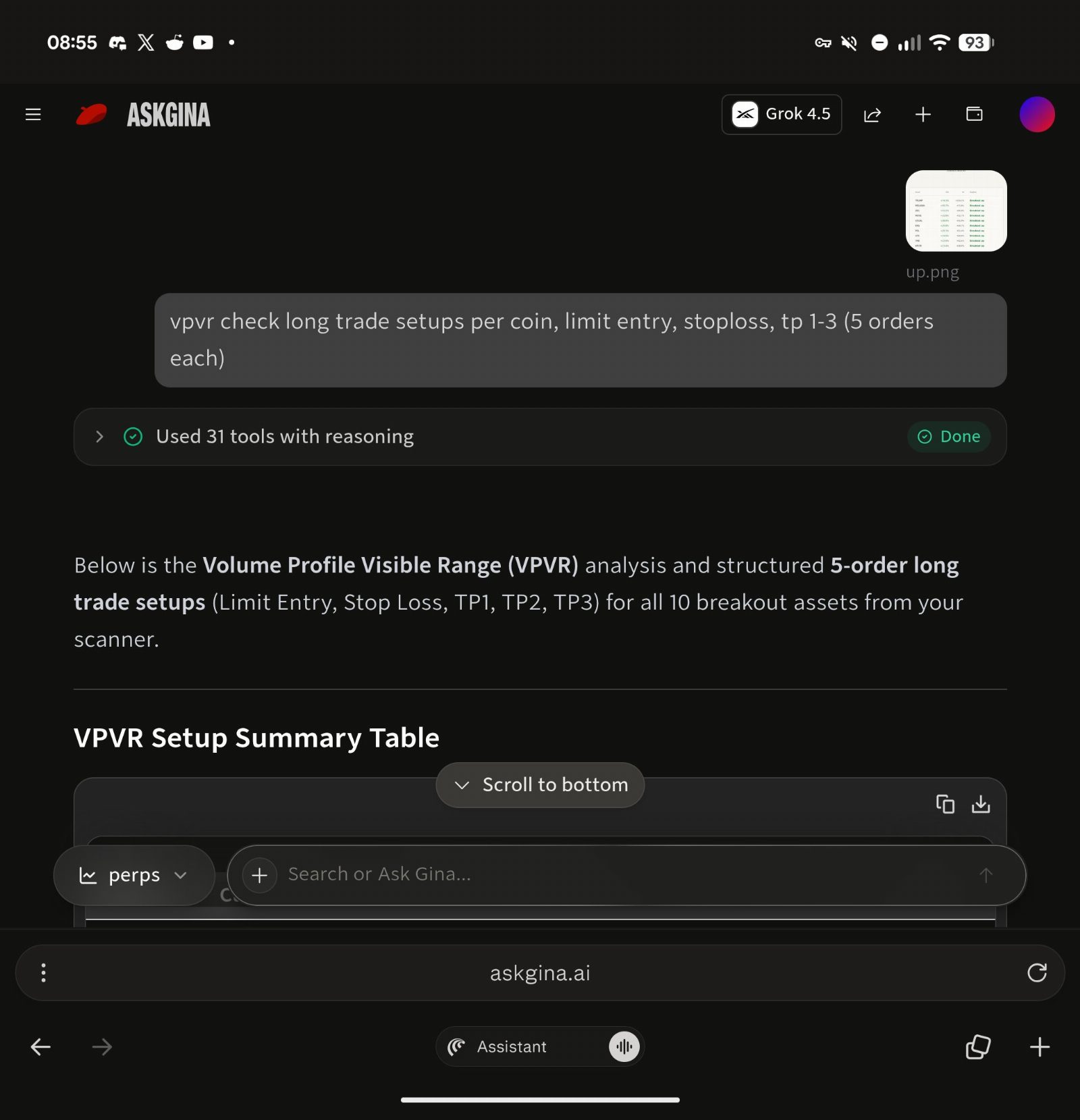
Ask Gina Review
Pros
- It lets you research, trade, and automate across Polymarket and Hyperliquid from one chat window.
- Automations compile to real code and keep running on a schedule or trigger instead of stopping after one reply.
- One generated wallet reaches spot tokens, Polymarket bets, and Hyperliquid perps, so you skip juggling separate accounts.
- Gas handling picks a payment token from your largest balances, so you don't need native gas on every chain.
- MCP support lets you run Gina inside Claude Code, Codex, Cursor, or OpenClaw instead of only the web chat.
- Every user gets 3,000,000 free AI credits a month, with paid packs starting at $10 for 5,000,000 more.
- The founder's background (TokenAnalyst, acquired by Coinbase) and named legal operator give you something concrete to check.
- Trade history and automation logs let you audit exactly what the agent did after each run.
Cons
- You cannot connect a wallet you already own or use elsewhere.
- AI misreads a prompt and there is no way to reverse the transaction it sends.
- A small team means slower support when a venue goes down or an edge case hits.
- The agent sees your prompts, balances, and trade history, which is a lot of data in one company's hands.
- There is no public third party security audit to point to.
- Free monthly credits expire and do not roll over, so heavy automation use costs extra on top of trading fees.
- Bad automation code can run 24/7 before you notice something is wrong.
- Sponsored gas has a ceiling, so it is a perk and not something you can count on long term.
Our verdict
Ask Gina hands you a wallet and lets you run it by typing sentences instead of clicking through five different apps. It does the automation part well: describe a strategy like "scale into SOL when trend holds" and it turns that into running code across Polymarket, Hyperliquid, and a dozen-plus chains, all from one place. The catch is you cannot bring your own wallet, so you are funding a new generated one and trusting it with real money, and the company's own terms admit that AI can misread a prompt and send an irreversible transaction. There is no public audit report to point to either, though the founder's background (a data firm bought by Coinbase) and backers (Coinbase Ventures, Prelude) at least make this look like a real team and not a drain site. I would put this in front of active multi-chain traders and Polymarket or Hyperliquid users who already know their way around these venues and want fewer clicks, not beginners and not anyone who insists on using a hardware wallet they already trust. Start with a tiny deposit, one swap, one bet, and read every confirmation before you let an automation run unattended.
Is Ask Gina safe & legit?
Ask Gina is built by TYBB Labs, a small London-based team founded by Sid Shekhar, whose last startup (TokenAnalyst) was bought by Coinbase. The company is backed by Prelude and Coinbase Ventures, and the terms describe it as noncustodial, so there's a real name and a real legal entity behind it, not an anonymous bot.
There's no public track record in the Polymarket community yet, and no widely known third-party security audit. The clearest known risk isn't a scam flag, it's the AI itself: the terms warn that you carry the risk of misreads and irreversible onchain transactions, and right now you can't connect a wallet you already own, only a wallet Gina generates for you.
X account intel @askginadotai
-
Based in United Kingdom
-
Joined X October 2024 1 year ago
-
Username changes 1 rename last on Oct 24, 2024
-
Signup source Web
Public profile signals from X. Use as one input alongside other due-diligence.
Security scan checked Oct 20, 2026
- Google Web Risk Not flagged
- MetaMask Not flagged
- Phantom Not flagged
- ScamSniffer Not flagged
- EtherAddressLookup Not flagged
- Keplr Wallet Not flagged
Domain askgina.ai checked against Google's lists of unsafe sites and public crypto wallet blacklists.
Ask Gina Updates
-
 speaking of...
Gina now available as an official connector on @vercel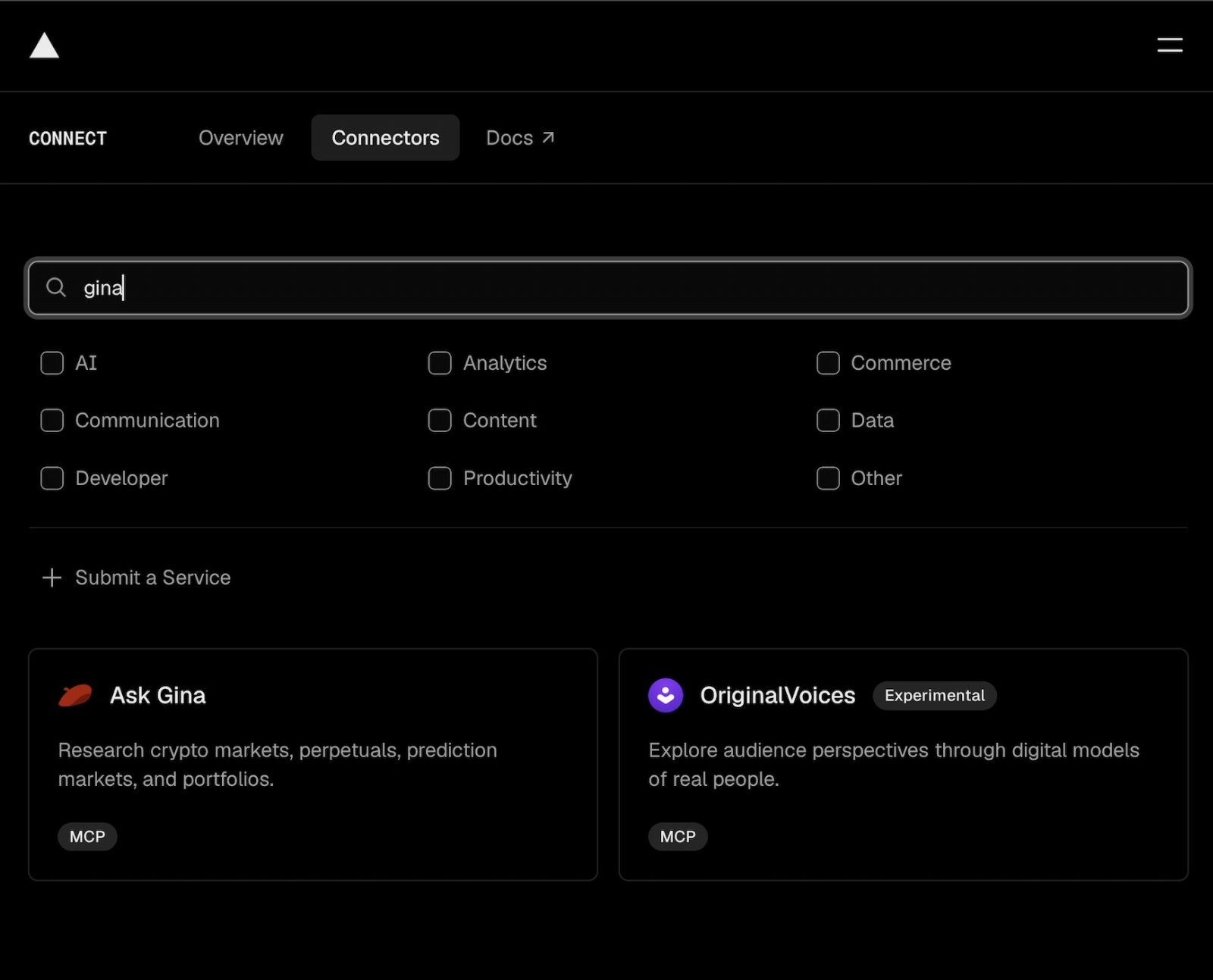
- 2 replies
- 1 reposts
- 8 likes
- 485 views
-
connectors are the new apps.
In the 2010s: you built mobile first.
In the next few years: every app will be connector first.
Almost every major harness is now launching its own connector/plugin ecosystem.
We're building @askginadotai to be the best in class connector for onchain execution across all of them.
Several benefits of connector-first:
- app can leverage frontier models + end user can use any model they want
- inference runs on the user's existing harness or $20/$200 plan
- your app becomes composable with any other connector (Notion/Gmail etc). super easy to build custom workflows based on user preference.
- app-like UI inside the chat.
- end user can remix it for their own purpose. building skills on top to use it however they want- 5 replies
- 2 reposts
- 19 likes
- 1.1K views
-
gm Singapore
- 2 replies
- 8 likes
- 291 views
-
upcoming projects at token2049 singapore
1) @TheRiskProtocol
- tokenizes crypto risk and makes it tradable
- risk layer, not another insurance wrapper
2) @xLiquida
- regulated infra
- onchain collateral for 24/7 gbp liquidity
3) @askginadotai
- onchain execution for ai agents across prediction markets, perps and defi
- backed by prelude and cb ventures, already running real capital
4) @GyldFinance
- tokenised us corporate bonds, 1:1 backed, eth + solana
- single name bonds, not clo wrapped proxies
5) @crshmarket
- livestream prediction market
- 60 second settlements, attention as the asset
6) @surge_credit
- credit layer for bitcoin
- borrow against btc without handing over the keys, non custodial
7) @helixfi
- infra for institutional asset tokenization
- picks and shovels on every rwa pitch in the room
8) @bermudabayzk
- compliant privacy for onchain settlement
- private balances, rules still provable
9) @humntech
- identity and control layer between people, institutions and ai
- give an agent authority, don’t give it the private key. nexus stand ss19
imo these are the few worth tracking into oct 7
1,000+ applicants, 10 finalists, $250k pool judged by dragonfly, multicoin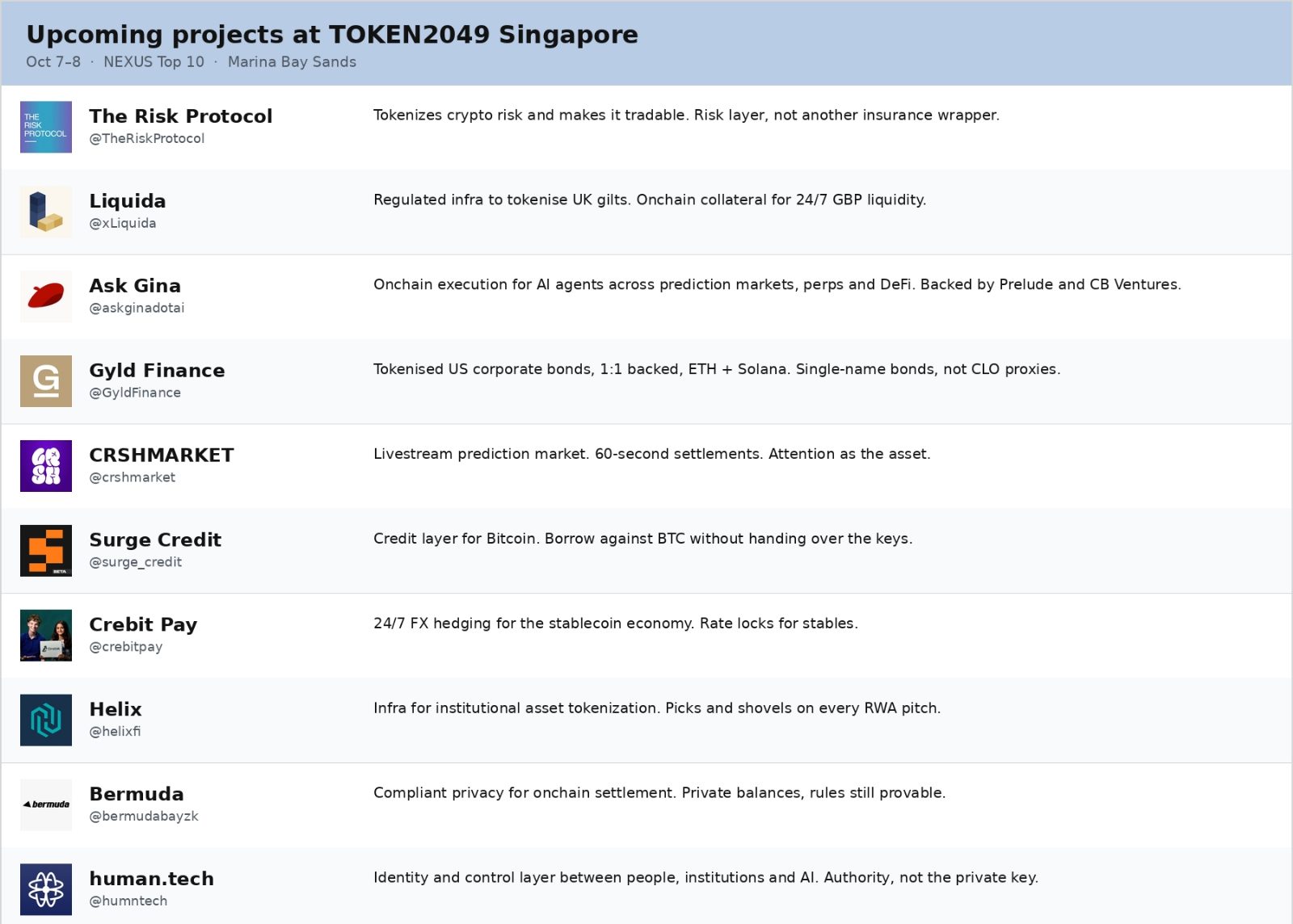
- 6 replies
- 3 reposts
- 28 likes
- 4.3K views
-
Your ChatGPT with Gina vs. your ChatGPT without Gina.
can’t wait to see what insane use cases people come up with once they start using the Gina plugin.
A few things you can already ask:
1. “Show me what I’m actually exposed to across my wallet, Hyperliquid and Polymarket.”
2. “Before I trade today, tell me everything I should know. Check my capital, recent activity, open positions/orders and Polymarket markets expiring soon. Use live market data and charts.”
3. “What Polymarket markets are expiring in the next 8 hours? Show me their probabilities, liquidity and expiry times.”
4. “Show me what I’ve been trading recently across Hyperliquid and Polymarket and summarize the activity.”
5. “Give me the current market context for BTC, ETH, SOL and XRP, with live prices, 24h moves and charts.”
install Gina and start asking ChatGPT questions you couldn’t ask it before.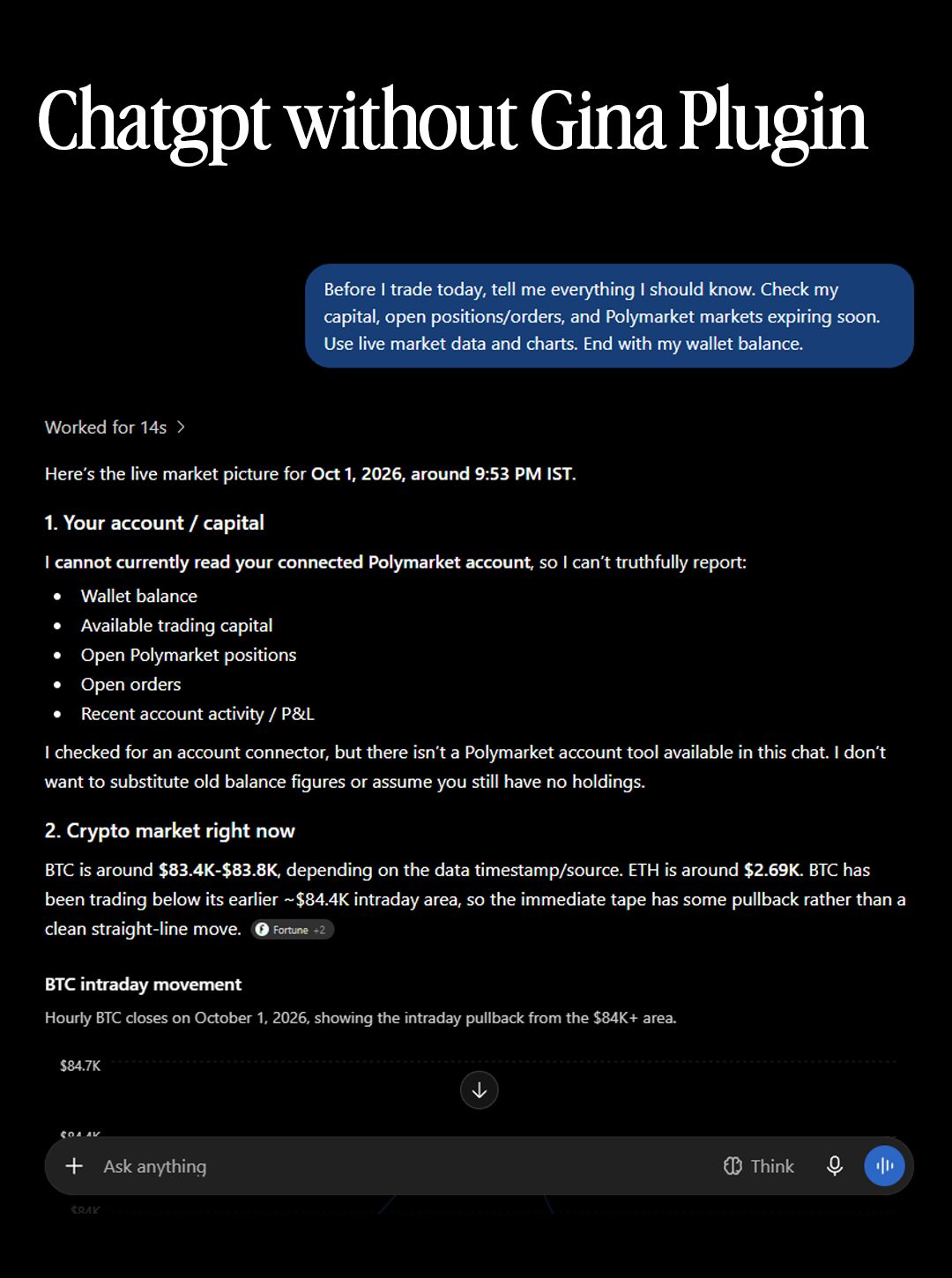
- 3 replies
- 3 reposts
- 8 likes
- 561 views
-
In 2025, @askginadotai was a bot on the Farcaster feed. You tagged her, she replied.
Then she got a wallet.
Then an app.
Today she lives inside @ChatGPT!
We're heading into a connector-first world. Nobody wants a tab for every exchange, wallet and market. You're just going to prompt whatever agent you like and expect your tools to show up inside it.
So that's what we designed for:
- One connection for your Gina wallet, which includes 12+ chains, all of @Polymarket and all of @HyperliquidX
- Plays really well with other connectors like @NotionHQ, Gmail, and more so you can design your own workflows to manage your portfolio.
- Replies come back with live charts on any token, position cards and rich widgets showing neccesary info (not just text).
I'm biased but I do think it's one of the best designed finance plugins on ChatGPT right now.
Give it a shot and let us know what you think.- 20 replies
- 3 reposts
- 60 likes
- 2.1K views
-
Gina is now live on @ChatGPT!
1. Go to plugins
2. Search "gina"
3. Click on Ask Gina
4. Install Plugin
5. Done- 5 replies
- 6 reposts
- 18 likes
- 4.2K views
-
Gina is now live on @ChatGPT!
1. Go to plugins
2. Search "gina"
3. Click on Ask Gina
4. Install Plugin
5. Done- 4 likes
- 358 views
-
ICYMI:
You can literally manage your entire onchain book via ChatGPT or Claude:
• 12+ chains
• All of @Polymarket
• @HyperliquidX (including @tradexyz)
Here's how: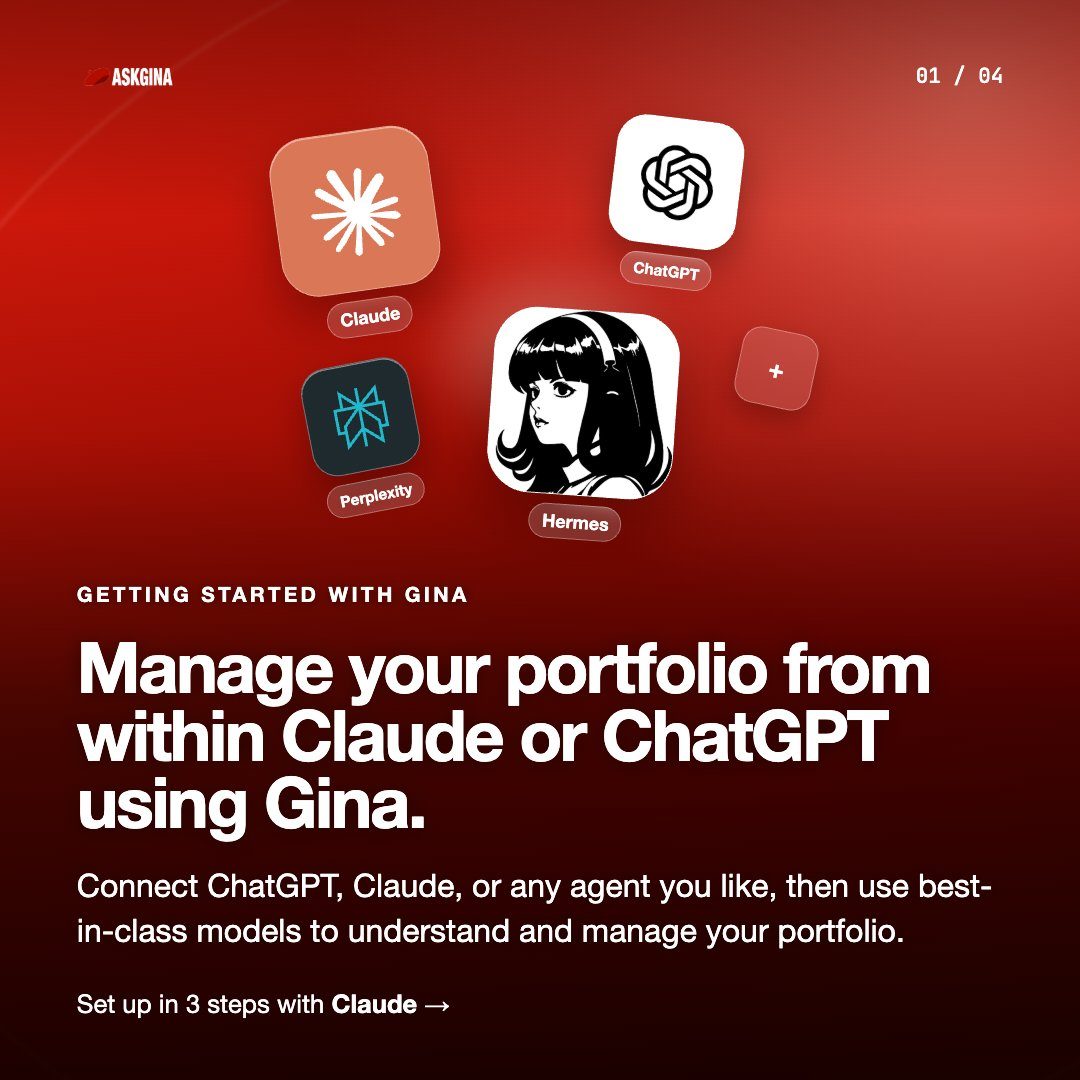
- 1 replies
- 1 reposts
- 9 likes
- 1.4K views
-
What do you do when you know Robinhood stock tokens are about to see flows but you don't know the exact mechanics.
You harvest volatility using your agent.
Asking my Claude to LP key stock pairs using the @askginadotai MCP.- 3 replies
- 4 reposts
- 26 likes
- 1.3K views
-
Since OpenAI did dots, and obvs we got Grok bot, why not hats by Gina
- 2 replies
- 2 reposts
- 8 likes
- 483 views
-
Team Gina will be at @token2049 next week!
Will be speaking at Nexus & will have a stand at the conference so come by and say hi :)- 6 likes
- 372 views
-
boom 🫶
we cook some more 👨🎨👩🎨 @token2049
can't wait to onboard more of ya irl to @askginadotai
- 7 replies
- 1 reposts
- 20 likes
- 2K views
-
What if the hardest part of training was already done for you?
Most people think trading is the hardest part, but in actual fact is the set up, finding an edge, building system and getting it to run without you!
Days, weeks and months of research before you place a single move.
We spent that time so you don’t have to.
Our agents are already live, already running on chain. One tap and you’re moving with them.
That’s the hard part done, you just show up.
COMMENT “GINA” below and we will get you started with $100 in AI credits!- 13 replies
- 7 reposts
- 14 likes
- 454 views
-
About to do evals for Grok 4.7 on all the thinking levels, will share results
- 1 reposts
- 2 likes
- 299 views
-
AGENTIC bull market
- 3 likes
- 331 views
-
It's a bull market.
So we made it dead easy to make your ChatGPT/Claude/Grok @bot crypto native + monitor your portfolio across:
- 12+ chains (Base, RH, Solana, BNB, and more)
- All of @Polymarket
- All of @HyperliquidX
Watch below or just paste this link into any AI/harness to get up and running:
https://docs.askgina.ai/connect- 3 likes
- 390 views
-
I can't personally keep on top of what's happening onchain each day
so got my @bot scouring the trenches for me every am
- 4 replies
- 1 reposts
- 15 likes
- 465 views
Ask Gina Reviews & Comments
No reviews yet. Be the first to share your experience.
Ask Gina alternatives
Other Polymarket tools that do a similar job. Compare and pick what fits your workflow.
-
Compare
Pizzint Watch
Tracks pizza shop foot traffic near the Pentagon and pairs it with live Polymarket odds a…
-
Compare
Forecast AI
Seven specialized agents feed a Consensus Engine that turns market signals into calibrate…
-
Compare
Poly Prediction
Traders who want context behind Polymarket prices get AI-driven analysis that connects li…
-
Compare
Ember
Traders who want a second opinion on Polymarket odds get daily AI probability assessments…




Recommended reading
In-depth guides for Research — get more out of tools like Ask Gina.
-
Beginners
Polymarket Weather Markets: A Data-First Trading Guide
Learn how to trade Polymarket weather markets with a repeatable workflow: read the station rules, stack ECMWF and METAR forecasts…
8 min read -
Market News
Top 20 Polymarket Influencers And Traders to Follow on X (2026)
A ranked guide to 20 Polymarket influencers on X. Find data analysts, political sharps, and niche traders who share their reasoni…
6 min read


Ready to try Ask Gina?
Open the official site and get started in a few clicks.
Leave a comment