

Stand trade
Manage Polymarket and Kalshi from one screen with copy trading and automated orders.

Stand: Polymarket and Kalshi Trading Terminal & Copy Trading
What is Stand trade?
Stand is a prediction market terminal for Polymarket, Kalshi, and Hyperliquid HIP-4, with whale tracking, copy trading, counter trades, alerts, and automated orders in one screen.
Ready to try Stand trade?
Open the official site and get started in a few clicks.
Stand trade Overview
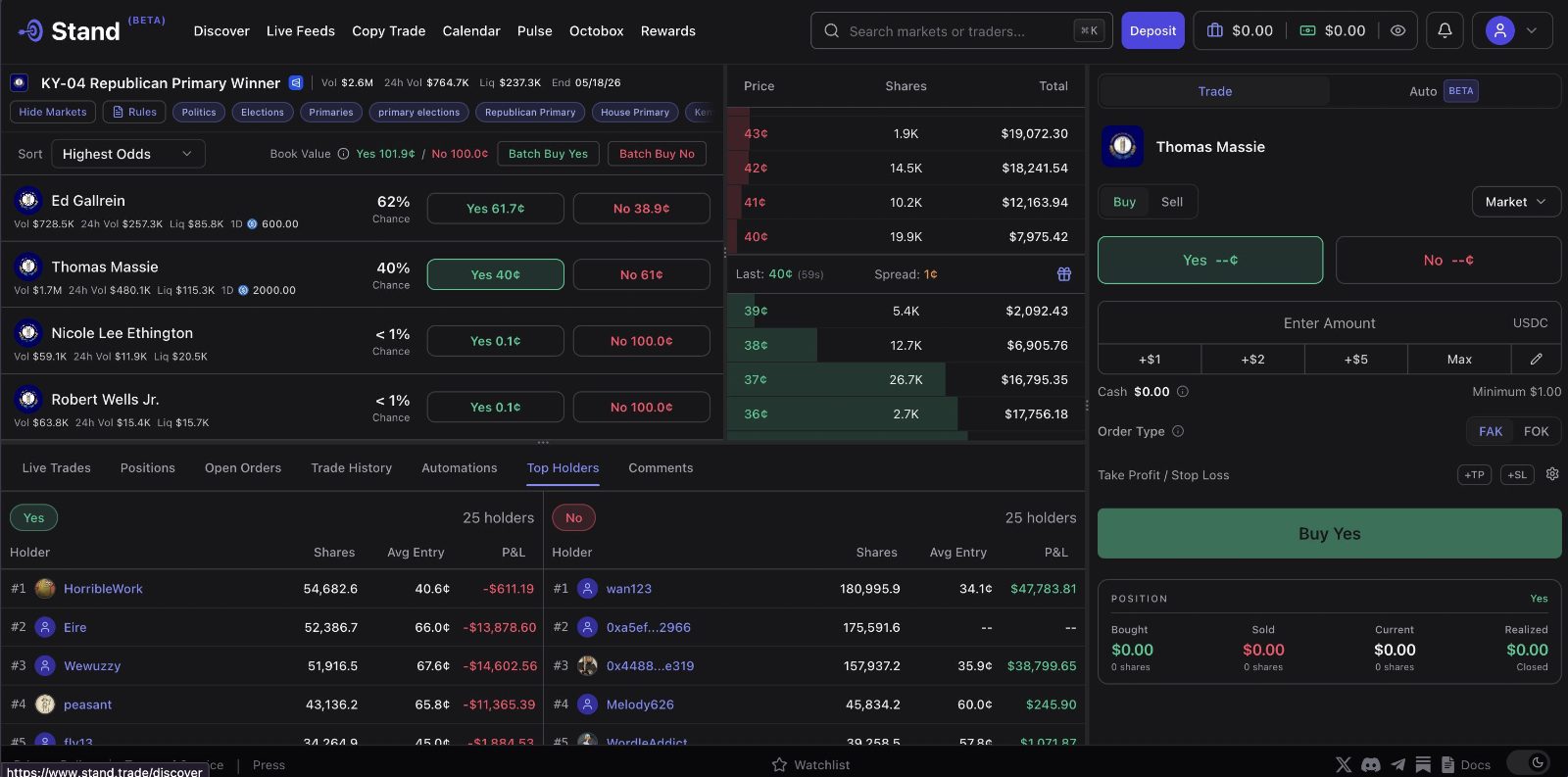
Stand (Stand.trade) is a web-based prediction market trading terminal that pulls Polymarket, Kalshi, and Hyperliquid HIP 4 outcome markets into one screen. Casual bettors who place one trade a week can skip this. You use Stand if you are a high-volume trader tired of keeping ten browser tabs open, and you want to manage up to 8 markets at once with fast execution and live data.
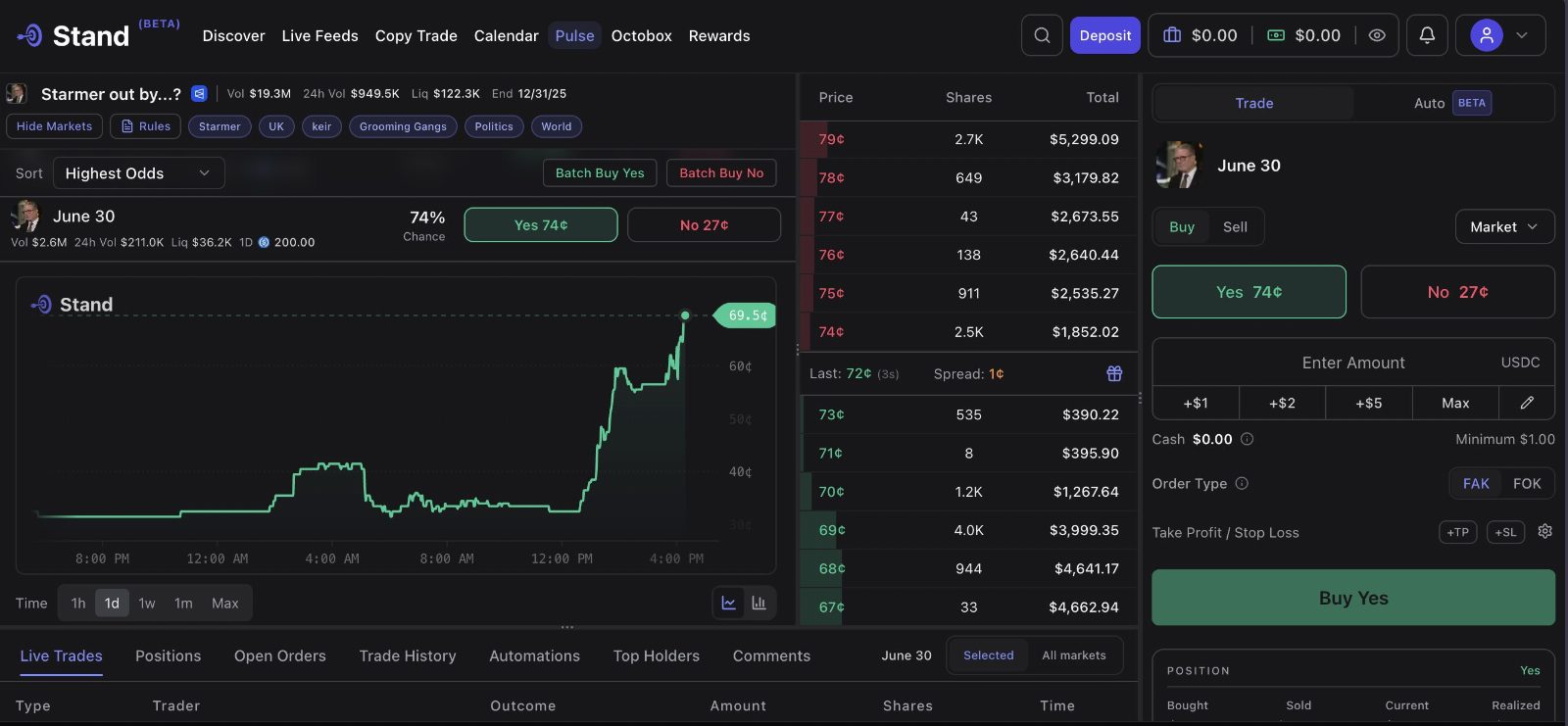
To use the terminal, you connect your wallet or fund an account directly, then switch between your Polymarket and Hyperliquid profiles inside the app. From there, you can browse markets by volume, set up custom live trade feeds to watch Polymarket whales, and run automated orders. The terminal gives you tools that normal prediction market sites lack, like stop loss, take profit, batch ordering, and pegged orders built for liquidity reward farming.
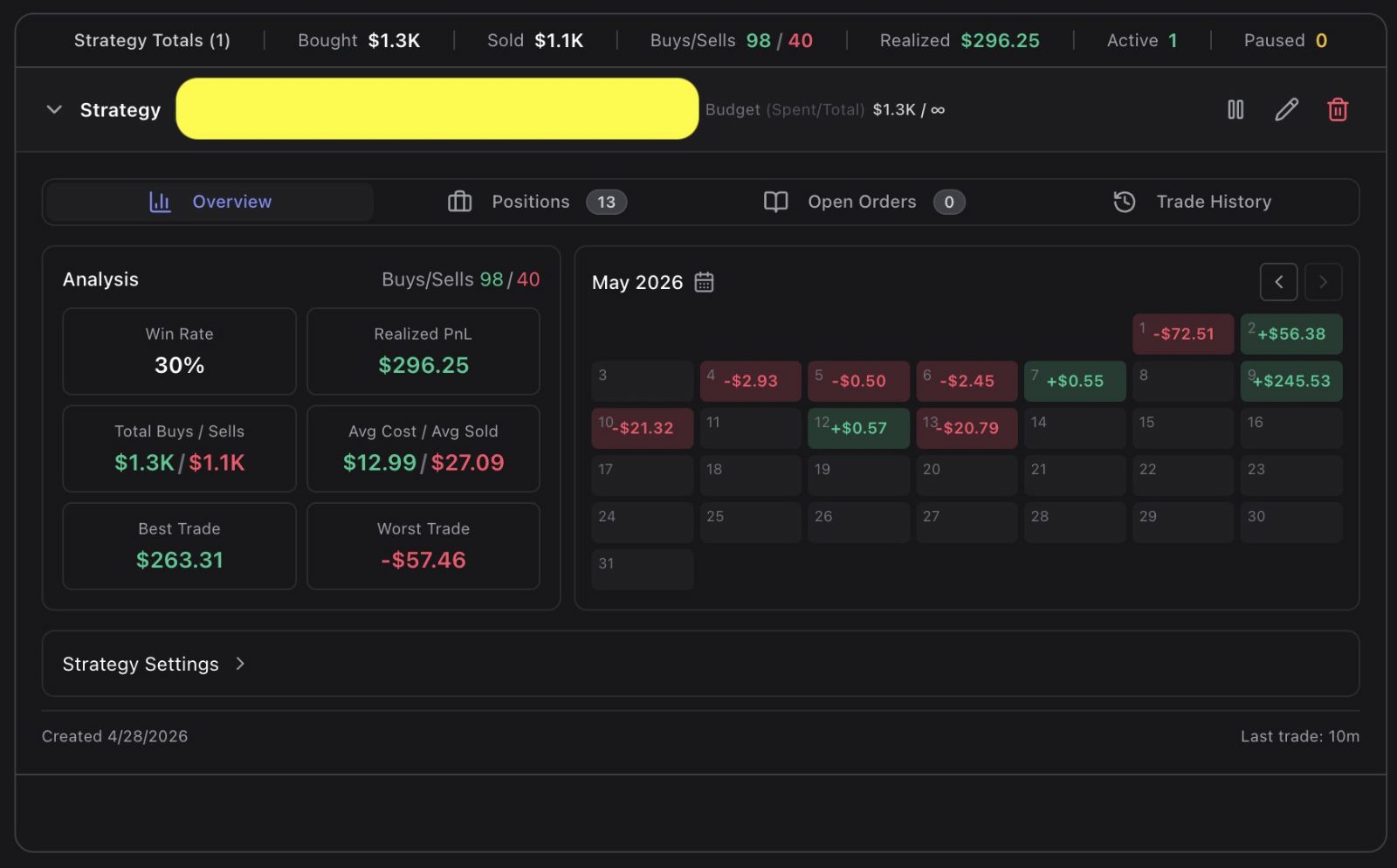
A lot of terminals do basic automation now, so the specific way Stand handles copy trading and counter trading is what makes it different. Most bots make you copy a wallet blindly. Stand lets you split one trader into multiple strategies by category. If a whale has a 78% win rate in politics but loses money on football, you can automatically copy their election buys while counter trading their sports bets at the same time. I also like the hover cards in the live feed. When you put your cursor over a trader, you see their full position plus a breakdown of their paid fees and rebates. That tells you right away if a big wallet has real conviction on an outcome, or if they are only in the book to farm rewards and merge positions. In October 2026, Stand added Hyperliquid HIP-4 outcome markets alongside Polymarket and Kalshi.
Stand trade Key features
-
Cross venue trading
You can trade Polymarket, Kalshi, and Hyperliquid HIP 4 outcome markets from one screen. The app lets you switch between your Polymarket and Hyperliquid accounts without jumping across browser tabs.
-
Category copy trading
You can set multiple copy or counter strategies for a single wallet based on the market category. For example, you might copy a trader's political bets while fading their sports picks at the same time.
-
Live whale feeds
Watch big trades come in live and build custom feeds for the wallets you care about. If you hover over a trader's name, a card pops up showing their full position so you know if they have real conviction or are only farming rewards.
-
Automated order types
Set take profit and stop loss levels so you do not have to babysit your positions at 3am. You can also run pegged orders to farm liquidity rewards and fire off batch orders across multiple markets.
-
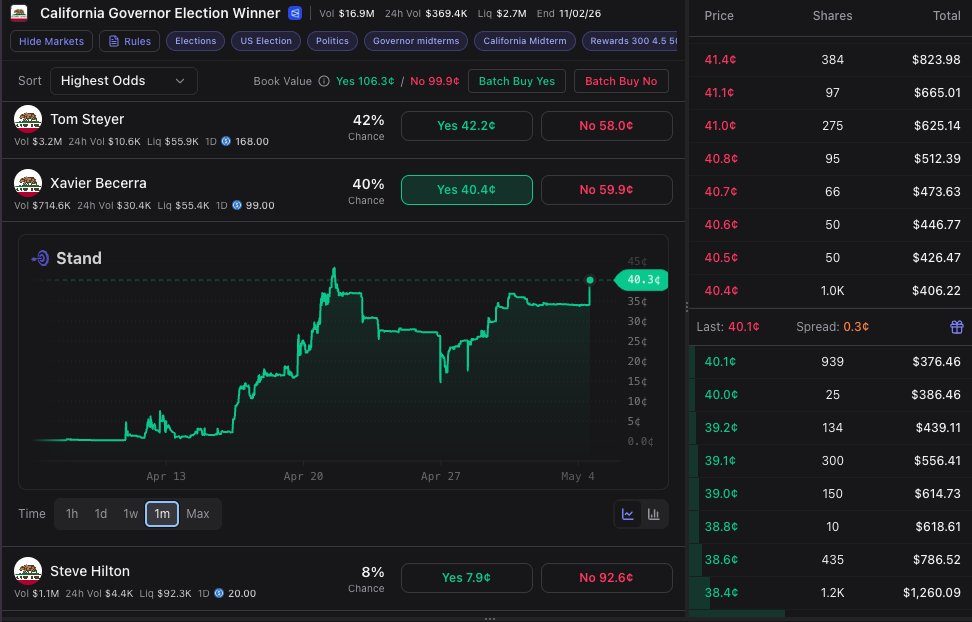
Eight market view
Put up to eight markets on a single screen to watch price action and manage orders simultaneously. It saves you from the usual mess of having twenty Polymarket tabs open during an election night.
-
Fee and rebate tracker
Look up any trader to see the exact amount they paid in fees and how much they got back in rebates. This shows you their net cost and whether a high volume wallet is making money on trades or rebates.
-
Market discovery tools
Use the Discover page to sort Polymarket and Kalshi markets by volume, liquidity, and 24 hour price changes. There is also a Calendar view to spot upcoming weekend events and a Pulse feed that catches trending markets early.
-
Instant trader alerts
Get notified the second a tracked wallet makes a big move or when a market price shifts sharply. You can react to new information right away instead of finding out after the odds have already moved.
Stand trade Fees
-
Copy trading fee People describe copy trading on Stand as having a zero percent fee.
-
Subscription cost The public pages have no subscription paywall.
Stand trade Supported networks
 Hyperliquid
How to use Stand trade
-
Connect wallet and fund account
Open Stand.trade in your browser, connect your wallet, and deposit funds into the platform. You can switch between your Polymarket and Hyperliquid accounts inside the app whenever you need to.
-
Find markets to trade
Use the Discover page to browse markets across Polymarket, Kalshi, and Hyperliquid sorted by volume, or check the Calendar view for upcoming weekend events. Add up to eight markets to your screen to watch them all in one place.
-
Watch the live trade feed
Set up a custom Live Trade Feed to see what big wallets are buying as it happens. Hover your cursor over any trader in the feed to check their full position and see if they have real conviction or are only farming liquidity rewards.
-
Set up copy strategies
Pick a profitable wallet to copy, or choose a losing wallet to counter trade. You can split your rules by category for the same person, like copying a trader's political bets while betting against their sports picks.
-
Place automated orders
Execute single trades or fire off batch orders across several markets at once. Attach stop loss and take profit levels to manage your exits, or use pegged orders if you want to farm liquidity rewards.
-
Turn on custom alerts
Set alerts for the wallets and markets you care about so you do not have to stare at the charts all day. Stand pings you when a tracked whale makes a big move or when odds shift fast.
Stand trade Demo video
Stand trade Screenshots
Stand trade User Reviews
-
Been using them for a while honestly really clean
View on X ↗ -
pro terminal on web for copy/counter-trading Polymarket whales.
View on X ↗ -
I just discovered a new super-app for trading on Polymarket. @StandDOTtrade is about predicting with built-in advantages like alerts, insights, wallet tracking, and smart execution. a few quick thoughts after using it for a week: Trading terminal feels great. SL/TP support
View on X ↗
Stand trade Review
Pros
- You can trade Polymarket, Kalshi, and Hyperliquid outcome markets from one screen.
- A single view lets you watch and manage up to eight markets at the same time.
- You can copy a wallet in one category, like politics, while betting against that same wallet in sports.
- Hovering over a trader in the live feed shows their full position so you can spot reward farming.
- You can set stop loss, take profit, and pegged orders for liquidity reward farming.
- The terminal breaks down the exact fees paid and rebates earned by any trader you look up.
Cons
- There is no mobile app for iOS or Android.
- You have to deposit funds into the platform, and custody details are not clear upfront.
- Customer support runs through Discord and direct messages instead of a dedicated help desk.
- The multi-market view caps out at eight markets on one screen.
- The dense terminal layout is overkill if you only place casual bets.
Our verdict
If you trade often enough that switching tabs costs you money, Stand.trade is a serious multi-venue trading terminal that pulls Polymarket, Kalshi, and Hyperliquid HIP-4 onto one screen. I love how granular the copy trading gets, since you can copy a whale's political bets while automatically counter-trading their terrible sports picks, or run pegged orders to farm liquidity rewards. The catch is that you have to deposit funds directly into the platform rather than using a simple wallet wrapper, which makes me a little uneasy when customer support mostly happens in Discord DMs and there is no mobile app. Casual bettors should skip it, as watching eight markets at once is overkill if you only buy a few election shares a year. For high-volume traders who want stop-losses and live whale feeds without paying copy fees, this is the sharpest setup out right now.
Is Stand trade safe & legit?
Stand is a legit trading terminal built by Edward Ridgely, a Y Combinator alum and former VP of growth at Brave Software. Polymarket traders trust it enough to run nearly $200 million in annualized volume through the app, and security trackers like ScamSniffer and MetaMask show zero red flags or hack reports. The only real catch is custody: you deposit funds directly into Stand instead of trading through a thin wallet wrapper, so I recommend checking their setup in the app before sending big size.
X account intel @StandDOTtrade
-
Based in United States
-
Joined X December 2024 1 year ago
-
Username changes 1 rename last on Dec 2, 2024
-
Signup source United States App Store
Public profile signals from X. Use as one input alongside other due-diligence.
Security scan checked Nov 22, 2026
- Google Web Risk Not flagged
- MetaMask Not flagged
- Phantom Not flagged
- ScamSniffer Not flagged
- EtherAddressLookup Not flagged
- Keplr Wallet Not flagged
Domain www.stand.trade checked against Google's lists of unsafe sites and public crypto wallet blacklists.
This is an automated check, not a security audit. The summary is drafted from the project's own pages and public posts, and the domain is looked up on public blocklists. Nothing here is financial advice: only put in money you can afford to lose. How we review listings
Stand trade FAQ
Which prediction markets can I trade on Stand?
How do copy trading and counter trading work?
Can I use Stand to farm liquidity rewards?
Do I connect my own wallet or deposit funds into Stand?
Who built Stand and is it safe to use?
Stand trade Updates
-
 Who are the top weather traders?
Read and find out.
Also, did someone say $10K trading contest?- 2 replies
- 1 reposts
- 10 likes
- 403 views
-
And, yes, bot trading is allowed
https://exchange.stand.trade/competition- 2 likes
- 270 views
-
Markets are looking accurate.
$ANT market cap will land somewhere between 1T and 1.5T.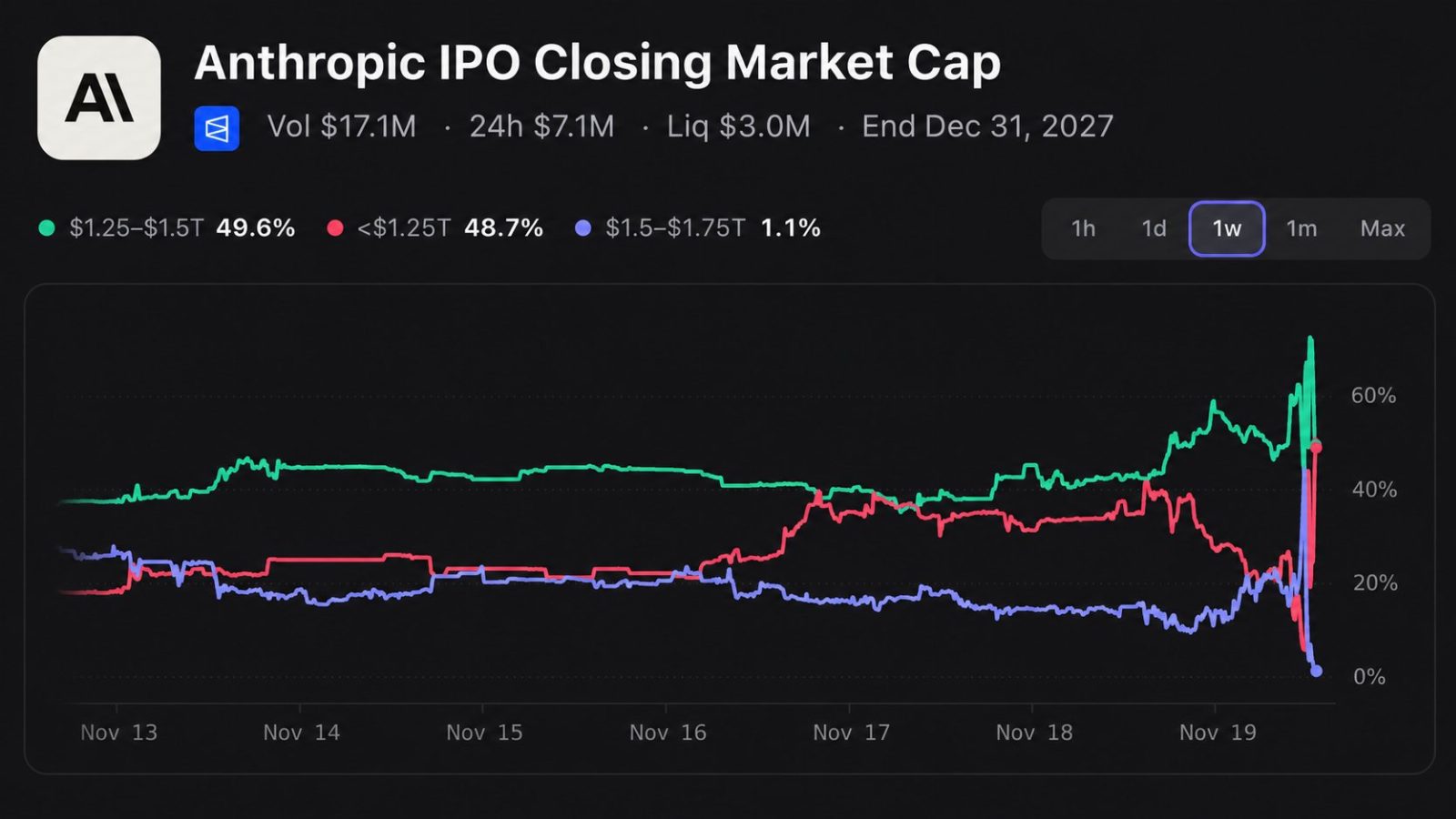
- 1 replies
- 3 likes
- 344 views
-
Stand is hosting a weather competition.
We're putting up $10K in prizes and it's free to apply.
Here's what you need to know
1/8
2 more in this thread
Finally, join our Discord! That's where all the action is. We'll provide updates. You can ask questions with the team. We have fun surprises coming too.
Joining the Discord does NOT mean you will automatically be approved. It does increase your odds though.
https://discord.gg/QpyjWhXxD
7/8The competition is free.
The prizes are up to $10K.
Apply today.
Where do you Stand 🎯?
https://exchange.stand.trade/competition
8/8- 4 replies
- 3 reposts
- 17 likes
- 3K views
-
Nice idea, and the entry is free!
You can only win- 1 reposts
- 6 likes
- 126 views
-
Calling all weather traders
Think you're one of the best? Prove it.
We're testing The Stand Open, a free weather trading competition with up to $10K in prizes.
Applications are now open! Apply!
https://exchange.stand.trade/competition
- 2 replies
- 4 reposts
- 13 likes
- 679 views
-
Giving a solid vouch for @StandTrade, been watching the product come together and the execution is sharp. Trading daily high temps settled directly against official METAR reports means zero subjective resolution drama.
They’re running The Stand Open right now 👇- 1 replies
- 1 reposts
- 2 likes
- 107 views
-
Time to make it rain
- 1 reposts
- 9 likes
- 335 views
Stand trade Reviews & Comments
No reviews yet. Be the first to share your experience.
Stand trade alternatives
Other Polymarket tools that do a similar job. Compare and pick what fits your workflow.
-
Compare
Kreo
Kreo copies proven Polymarket and Kalshi wallets in real time, so you ride smart money tr…
-
Compare
Axiom Trade PolyMarket
Traders on Axiom can now take positions on real-world events without leaving the terminal…
-
Compare
Tailgate
Sports traders use Tailgate to find better prices across Polymarket and Kalshi and copy o…
-
Compare
PolyCop
Traders get hands-free Polymarket execution through a Telegram bot that copies wallets, s…




Recommended reading
In-depth guides for Trading Terminals — get more out of tools like Stand trade.
-
Tool Reviews
Best Polymarket Trading Bots 2026: Copy Trading & Sniper
Five Polymarket trading bots tested for 2026. Compare copy trading speed, sniper orders, fees after the March rate change, setup…
29 min read -
Tool Reviews
Best Polymarket CopyTrading Bot 2026
This breakdown covers the five best Polymarket bots available right now: PolyCop, Kreo, TradePolyBot, PolyGun, and a forward-look…
14 min read -
Tutorials
The Ultimate Guide to Copy Trading on Polymarket
Finding a profitable wallet is the easy half. This walks through picking one worth following, then setting the sizing, filters an…
6 min read


Ready to try Stand trade?
Open the official site and get started in a few clicks.
Leave a comment