

Polyquant
Non-custodial Telegram bot crypto's Polymarket: build custom candle patterns, check a backtested edge leaderboard, and set per-pattern automated staking rules.
PolyQuant Telegram Bot: Auto Trade Candlestick Rules on Polymarket
What is Polyquant?
PolyQuant is a noncustodial Telegram bot that turns your candlestick pattern rules into automatic trades on Polymarket BTC up or down markets, monitoring live candle closes across five minute, fifteen minute, and one hour timeframes so you never miss a setup.
Ready to try Polyquant?
Open the official site and get started in a few clicks.
Polyquant Overview
PolyQuant is a Telegram bot built for traders who bet on Polymarket BTC up or down markets. It watches the five minute, fifteen minute, and one hour candles and places orders the moment your rule matches. You write a pattern in plain language, something like buy up after three red candles in a row, and the bot checks every candle close against that rule. When conditions line up, it sends the order right away. No extra tap, no second guessing.
This tool is for traders who already have a tested edge on candle sequences and want it enforced without sitting at charts all day. If you have noticed a repeatable lean after certain color runs on BTC, PolyQuant applies that logic live, every time, instead of only when you happen to be watching. It also fits traders new to Polymarket who want to lean on data instead of gut calls, since a built in leaderboard ranks patterns by how far past results sit from even odds using a large archive of BTC candles going back to 2017.
Setup runs entirely inside Telegram through a Privy powered wallet, so your USDC stays under your control the whole time. The bot only gets permission to sign orders, nothing more, and it cannot move or withdraw your funds. You can add stake sizing, turn on scaling after a loss if you want a recovery style approach, or keep flat bets across every rule. Deposits work from Ethereum, Polygon, BNB Chain, Solana, or Bitcoin, and everything settles on Polygon where you can check fills on a public explorer.
What sets PolyQuant apart from generic trading bots is the narrow focus. It does not try to cover every market or every asset. It targets BTC candle patterns on short Polymarket cycles, pairs that with a free historical edge ranking, and charges only a one percent fee on trades that actually fill. No subscription, no idle fees, just a direct link between a rule you already trust and a market that resolves fast enough to test it often.
Polyquant Key features
-
No-Code Pattern Engine
You describe a candle rule in plain chat language, like buying up after three red candles in a row. The bot saves it and checks every new close against your logic.
-
Live Candle Monitoring
PolyQuant watches every candle close on your chosen BTC market through live feeds. It sends the order the moment your pattern completes, with no delay for confirmation.
-
Optional Loss Scaling
Each rule can carry a money management overlay that raises stake size after a loss and resets after a win. Flat sizing stays available for traders who want steady exposure instead.
-
Historical Edge Leaderboard
A ranking system scores candle patterns by how far past results drift from even odds, using data back to 2017. Traders use these scores to pick or confirm rules before running them live.
-
Noncustodial Wallet Setup
Your USDC sits in a wallet you control, set up through Privy inside Telegram. The bot can only sign orders and cannot withdraw or move your funds anywhere else.
-
Instant Fill Alerts
Telegram notifies you the moment a trade executes, so you know a fill happened without watching charts. You can also check every trade later on a Polygon explorer.
-
Multi-Chain Deposits
You can fund your wallet from Ethereum, Polygon, BNB Chain, Solana, or Bitcoin. Trading and settlement still run on Polygon through Polymarket's order book.
-
Telegram-Only Workflow
You set patterns, adjust stakes, pause rules, and withdraw funds all inside one Telegram chat. There is no separate app or dashboard to manage.
-
Usage-Based Fees
PolyQuant charges no subscription fee and takes a one percent cut only on trades that actually execute. Wallet setup, deposits, and withdrawals stay free.
-
One-Tap Withdrawals
You can pull your balance or profits out at any time through the same chat interface. Funds settle straight back to an external wallet you choose.
Polyquant Fees
-
Taker fee PolyQuant charges a 1 percent taker fee only on trades that actually execute in the Polymarket order book.
-
No subscription The trading bot itself has no recurring or subscription charge, so cost only comes from executed trades.
-
Leaderboard access The Edge Leaderboard is free for everyone until September 30, 2026.
-
Leaderboard tiers after 2026 After September 30, 2026, tiered monthly plans apply, with lower tiers for hourly data and higher tiers for broader timeframe access.
-
No extra charges Wallet setup, deposits, withdrawals, and rule changes carry no fees beyond low network costs.
Polyquant Supported networks
 Polygon
 Ethereum
 BNB Chain
 Solana
 Bitcoin
How to use Polyquant
-
Find the bot
Open Telegram and search for mepolyquantbot, or use the direct start link on the project site.
-
Create your wallet
Send the start command and accept the short agreement. This sets up your deposit wallet through Privy in under a minute.
-
Deposit USDC
Send USDC from Ethereum, Polygon, BNB Chain, Solana, or Bitcoin into your new wallet. Funds are ready to trade with no extra conversion needed.
-
Write your pattern rule
Type your candle rule in plain chat language, such as buy up after three red candles in a row. Save it for the market and timeframe you want.
-
Set your stake
Pick a base stake size for the rule. Turn on scaling if you want the stake to grow after a loss, and set a reset point for when it should stop.
-
Turn on the rule
Activate the rule so the bot starts watching every candle close on your chosen BTC market.
-
Track and adjust
Check Telegram alerts when trades fire, and review the fills in the bot or on a Polygon explorer. Pause, edit, or delete the rule anytime through chat.
-
Withdraw your funds
Request a withdrawal from the bot whenever you want. The funds go straight to the external wallet you choose.
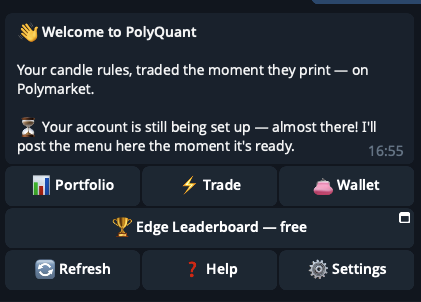
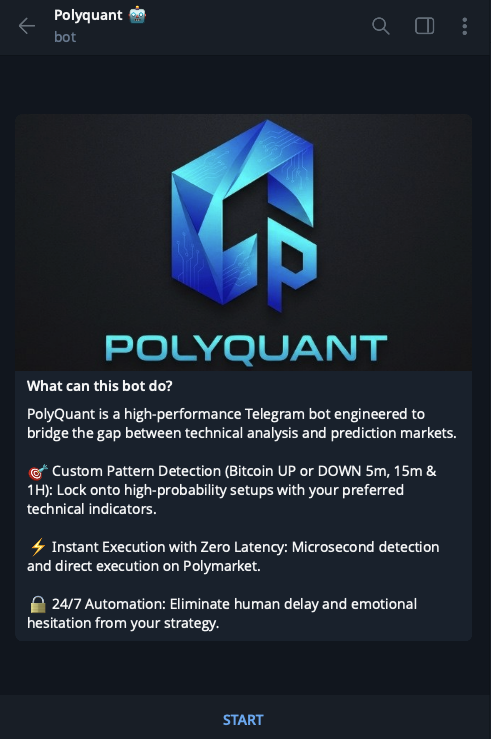
Polyquant Screenshots
Is Polyquant safe & legit?
X account intel @polyquantbot
-
Based in Malaysia
-
Joined X March 2025 1 year ago
-
Username changes 5 renames last on Jun 20, 2026
-
Signup source Malaysia App Store
Public profile signals from X. Use as one input alongside other due-diligence.
Security scan checked Oct 22, 2026
- Google Web Risk Not flagged
- MetaMask Not flagged
- Phantom Not flagged
- ScamSniffer Not flagged
- EtherAddressLookup Not flagged
- Keplr Wallet Not flagged
Domain t.me checked against Google's lists of unsafe sites and public crypto wallet blacklists.
Polyquant Updates
-
 Lets go!
- 1 likes
- 83 views
-
Polymarket is dropping TWAP for Crypto Up/Down markets in 48 hours.
Say goodbye to market manipulation. $1M in LP rewards hit the 5m, 15m, and 4h markets at launch. Aug 7 at 12 AM UTC—the hunt starts.
Trade smarter with data-driven insights on PolyQuant. 📊🚀- 40 views
-
PolyQuant Telegram Bot: Auto Trade Candlestick Rules on Polymarket
🆕 Polyquant added to #polymartapp
PolyQuant is a noncustodial Telegram bot that turns your candlestick pattern rules into automatic trades on Polymarket BTC up or down markets, monitoring live candle closes across five minute, fifteen minute, and one hour timeframes so you never miss a setup.
https://polymart.app/polyquant
Support @polyquantbot & @polymartapp — like & retweet 🙏
#Polyquant #Polymarket #TradingBots- 1 replies
- 1 reposts
- 3 likes
- 318 views
-
A leaderboard has been added to @Polymarket Perps
One trader has already made $520,000!
2nd place earned $400,000
However, Perps have only recently become available to everyone
If you've already placed trades, you can see where you stand on the leaderboard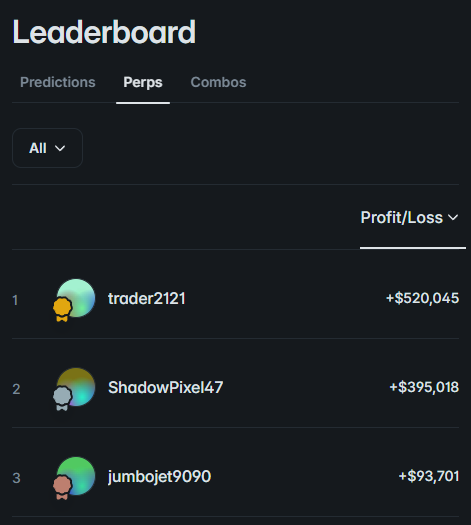
- 7 replies
- 1 reposts
- 31 likes
- 836 views
-
🚨OFFICIAL: Pau Cubarsí wins the Young Player of the Tournament Award at the 2026 World Cup!

- 21 replies
- 20 reposts
- 343 likes
- 13.3K views
-
Spain 🇪🇸 vs Argentina 🇦🇷
The Final Battle is here.
Who will be the next world winner?- 46 views
-
Every trader knows this exact feeling 😂
- 140 replies
- 107 reposts
- 679 likes
- 52.1K views
-
.@Polymarket receives 40m visits every month
It ranks 4th among all startups
The most interesting thing about this list is that there isn't a single competitor to Polimarket
Does this prove that Polymarket is number one?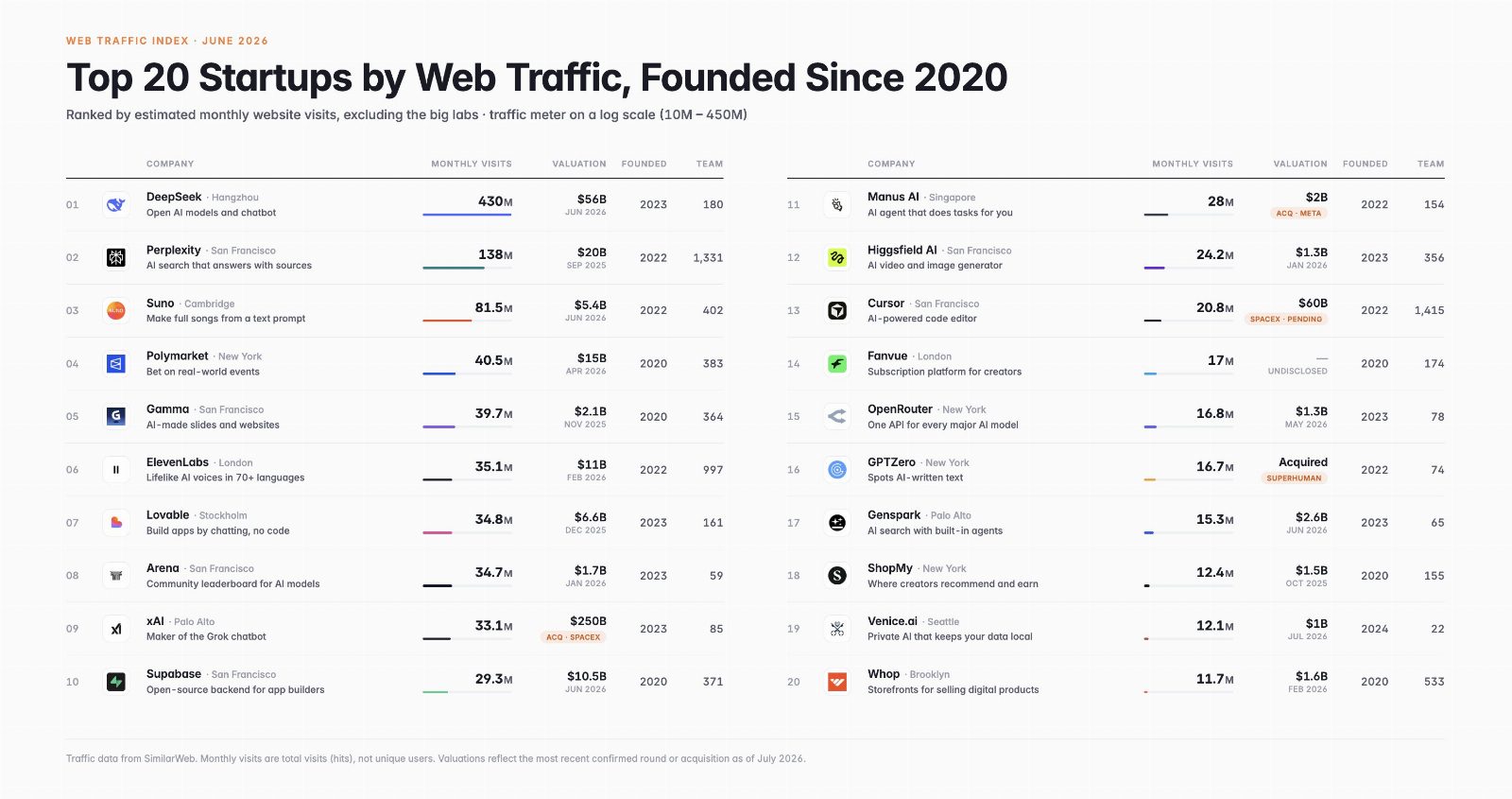
- 21 replies
- 7 reposts
- 95 likes
- 20.7K views
-
🔒 Your Bags Are Absolutely SAFU
Sleep easy knowing your funds never leave your own wallet. The setup is 100% non-custodial, charging a flat 1% taker fee with zero hidden traps to wreck your PnL.
Want to know more?
Join our channel
https://t.me/mepolyquant- 86 views
-
📊 Set, Forget, and Let It Print
Hardcode your favorite candlestick strategy just once. PolyQuant tracks every single BTC close on Polymarket like a hawk, fires the order automatically, and drops the live execution alert directly into your chat.
Follow us now for latest update.- 43 views
-
Your candle rules.
Traded the exact moment they print.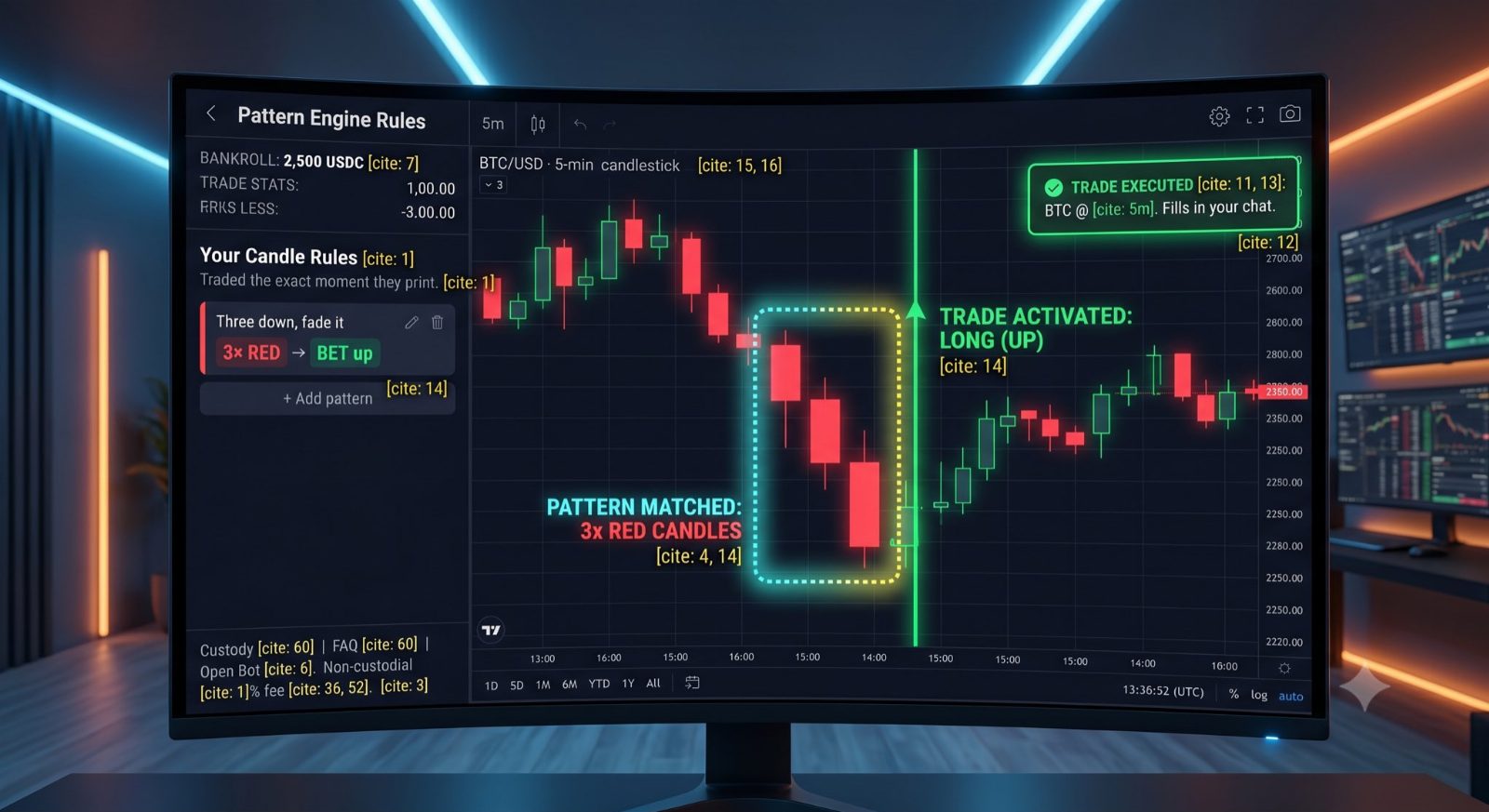
- 1 likes
- 579 views
-
Candlestick Patterns Cheat Sheet
Neutral Patterns
Doji signals indecision with open and close nearly equal
Spinning top shows small real body, reflecting balanced buying/selling pressure
Plus signs indicate continuation or consolidation zones
Bullish Reversal Patterns
Dragonfly Doji forms with long lower wick, suggesting strong buying after a drop
Bullish Engulfing occurs when a green candle fully covers the previous red candle, signaling upward momentum
Bearish Patterns (Correction Note)
Hanging Man appears after an uptrend with a small body and long lower wick, warning of potential reversal
Shooting Star has a small body and long upper wick, indicating rejection at highs
Hanging Doji is a Doji with a long lower wick in an uptrend, adding caution
Gravestone Doji has a long upper wick and no lower wick, signaling bearish reversal at peaks
Correction: Bearish Engulfing (red candle covering prior green) is a bearish reversal pattern, not bullish.
The list mistakenly places it in both sections,use it only for downside signals.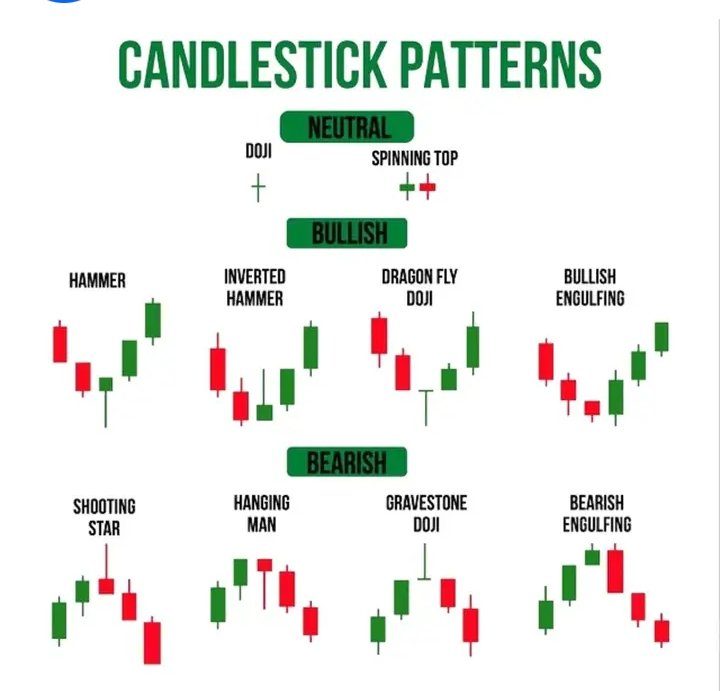
- 7 reposts
- 17 likes
- 776 views
-
Hey bulls,
Question.
Are you getting nervous yet?
- Wynn- 448 replies
- 26 reposts
- 584 likes
- 166K views
-
🚨 MEMECOIN DOMINANCE IS NEARING 2022 BEAR MARKET LOWS
LOWEST LEVELS SINCE POST-FTX COLLAPSE
LAST TIME SENTIMENT WAS THIS LOW, PRICES SKYROCKETED SOON AFTER 👀
- 164 replies
- 236 reposts
- 1.9K likes
- 131.7K views
-
Just Retweet if you believe #PEPE will make you a Millionaire 🔥🔥🔥
$PEPE 🐸🐸🚀
- 6 replies
- 41 reposts
- 160 likes
- 8.8K views
-
A̶l̶t̶s̶e̶a̶s̶o̶n̶ ̶i̶s̶ ̶c̶o̶m̶i̶n̶g̶ ̶i̶n̶ ̶2̶0̶2̶3̶
A̶l̶t̶s̶e̶a̶s̶o̶n̶ ̶i̶s̶ ̶c̶o̶m̶i̶n̶g̶ ̶i̶n̶ ̶2̶0̶2̶4̶
A̶l̶t̶s̶e̶a̶s̶o̶n̶ ̶i̶s̶ ̶c̶o̶m̶i̶n̶g̶ ̶i̶n̶ ̶2̶0̶2̶5̶
Altseason is coming in 2026- 766 replies
- 263 reposts
- 3.3K likes
- 220K views
-
🚨 BREAKING:
🇺🇸 PRESIDENT TRUMP TO GIVE A "BIG" CRYPTO ANNOUNCEMENT TODAY
EXPECT HIGH VOLATILITY!
- 465 replies
- 360 reposts
- 3.6K likes
- 303.7K views
Polyquant Reviews & Comments
No reviews yet. Be the first to share your experience.
Polyquant alternatives
Other Polymarket tools that do a similar job. Compare and pick what fits your workflow.
-
Compare
Kreo
Kreo copies proven Polymarket and Kalshi wallets in real time, so you ride smart money tr…
-
Compare
PolyCop
Traders get hands-free Polymarket execution through a Telegram bot that copies wallets, s…
-
Compare
Tailgate
Copy sharp bettors' plays at the best price across prediction markets, and get paid when…
-
Compare
TradePolyBot
TradePolyBot lets Polymarket traders buy, sell, and automate positions without leaving Te…




Recommended reading
In-depth guides for Trading Bots — get more out of tools like Polyquant.
-
Tool Reviews
Best Polymarket Trading Bots 2026: Copy Trading & Sniper
Five Polymarket trading bots tested for 2026. Compare copy trading speed, sniper orders, fees after the March rate change, setup…
29 min read -
Tool Reviews
Best Polymarket CopyTrading Bot 2026
This breakdown covers the five best Polymarket bots available right now: PolyCop, Kreo, TradePolyBot, PolyGun, and a forward-look…
14 min read -
Tutorials
The Ultimate Guide to Copy Trading on Polymarket
Finding a profitable wallet is the easy half. This walks through picking one worth following, then setting the sizing, filters an…
6 min read


Ready to try Polyquant?
Open the official site and get started in a few clicks.
Leave a comment